
This file is a manual for Casio 9860 Graphic Calculator RUN Mode
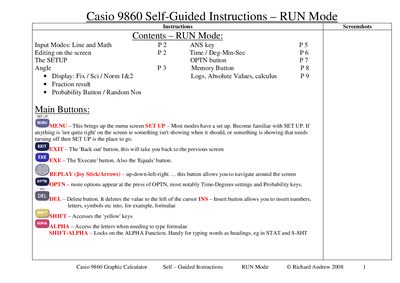
This self‑guided instruction manual walks users through the RUN mode of the Casio fx‑9860 graphic calculator, covering input methods, editing, and the SET UP menu. It explains how to navigate screens, change settings, and perform calculations using both Line and Math input modes.
Key functions such as angle conversion, fraction/decimal display, the ANS key, probability calculations, random number generation, and derivative operations are described with screen‑shot style instructions, helping students and teachers use the calculator efficiently for scientific and mathematical tasks.
| Input modes | Line and Math |
|---|---|
| Angle units | Degrees, Radians, Grads |
| Display options | Fix, Sci, Norm |
Press SET UP (SHIFT MENU), move the cursor to Input Mode and select Math, then press F1.
After obtaining a result, press the ANS key (SHIFT (-)) to recall the previous answer and use it in a new expression, e.g., 2004.998 ‑ Ans.
Open the Probability suite with OPTN → PROB, then press the Ran# (F4) key repeatedly and EXE to produce random numbers between 0 and 1.