
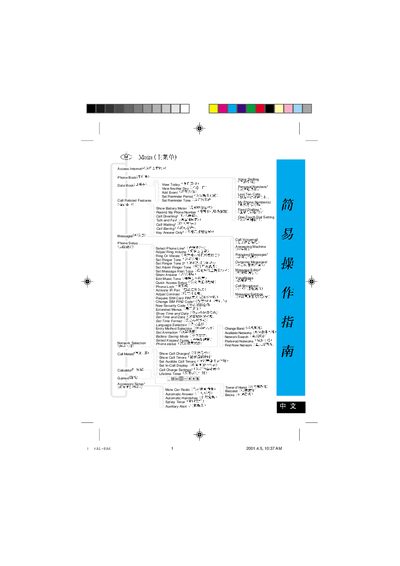
This manual provides step‑by‑step guidance for configuring the A1-8AG phone, including basic settings such as ring volume, ringtone selection, alarm tones, and display contrast. It also explains how to manage SIM security, lock the device, and activate the IR port.
Later sections cover advanced features like quick‑access shortcuts, special function keys, voicemail, call charge display, and various utility tools such as the calculator, game options, and datebook. The document includes detailed menus for network selection, call waiting, and message editing. This manual is written in Chinese.
Select "Set Ringer Tone" or "Set Ringer Tone 2" from the menu to choose a ringtone.
Use the "Phone Lock" option in the Phone Setup menu to enable the lock feature.
Choose "Activate IR Port" in the settings to turn on the infrared interface.
Select "Show Call Charges" from the menu to display the cost of calls.