
This document is a user manual for the D7562CT washing machine, which introduces the operation panel, washing water consumption, abnormal working status handling and other content of the washing machine.
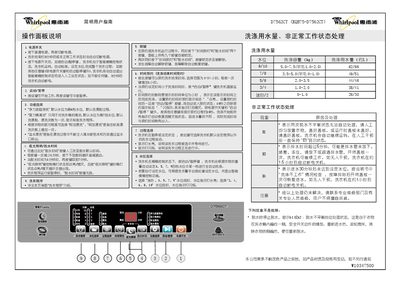
The guide explains the layout of the control panel, how to power the machine on and off, and how to select wash programs, water levels, and additional functions such as extra rinsing or drum cleaning. It also covers the time‑reservation feature and how to start, pause, or stop a cycle.
Additional sections describe normal water usage, handling of abnormal conditions (e.g., E1 fault display), recommended loading amounts, and step‑by‑step instructions for connecting water and drain hoses. The manual ends with a troubleshooting table that lists common symptoms and recommended actions. This manual is written in Chinese.
| Dimensions (W×D×H) | 547 × 559 × 925 mm |
|---|---|
| Water Pressure | 0.02 – 0.78 MPa |
| Wash Capacity | 5.0 – 7.5 kg (wool 1.0 – 2.0 kg) |
Use the "预约时间" key to select the desired reservation time before starting the cycle.
The continuous "E1" display signals a fault condition that requires checking the machine and possibly contacting service personnel.
Select the "强力桶清洁" (Intensive Drum Clean) function using the function selection key.