
The GR-271 is a low-power CF GPS receiver that is equipped with a SiRF Star III chip and has the ability to quickly position and track 20 satellites. It supports the NMEA0183 V2.2 output specification and supports Type 1 CF cards, making it suitable for use with PDAs, smartphones or notebooks.
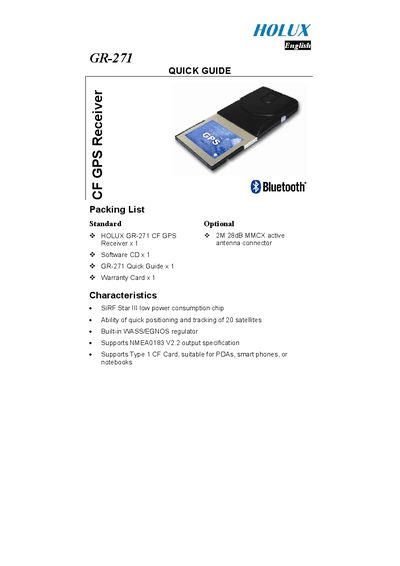
The Holux GR-271 is a compact CF‑card GPS receiver designed for PDAs, smartphones, and notebooks. It features a low‑power SIRF chip, support for up to 20 satellites, a built‑in WASS/EGNOS regulator, and NMEA0183 V2.2 output.
This Quick Guide provides the packing list, hardware description, LED status indicators, steps for using the device with a PDA or notebook, software installation instructions for the GPSViewer program, and safety warnings.
| Chip | SIRF Star Ill low power consumption chip |
|---|---|
| Satellite Tracking | Ability of quick positioning and tracking of 20 satellites |
| Regulator | Built-in WASS/EGNOS regulator |
| Output Specification | Supports NMEA0183 V2.2 output specification |
| Memory Card Support | Supports Type 1 CF Card, suitable for PDAs, smart phones, or notebooks |
| Baud Rate | 4800 |
Insert the software CD, run “GPSViewer.exe”, and follow the on‑screen prompts to install the program on your PC.
LED off means the unit is turned off; LED on indicates it is searching for satellite signals; a blinking LED shows that positioning is complete.
Yes, install the driver from the software CD onto the notebook, then the GR‑271 will work with it.
Do not expose the device to strong sunlight, high temperatures, or heat‑radiating devices such as stoves or radiators, as this may cause malfunction.