
This manual introduces how to use the watch, including the timing function, temperature meter function, temperature data retrieval function, world time function, stopwatch function, countdown timer function, alarm function, etc.
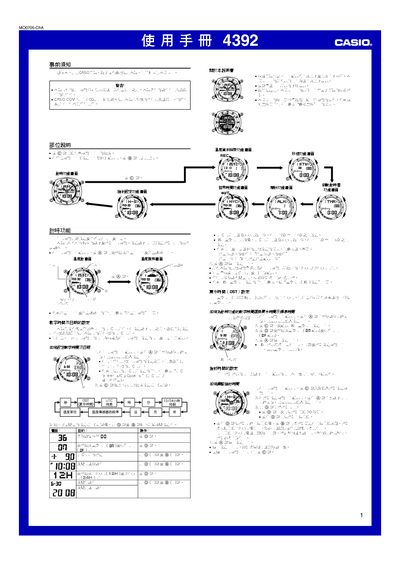
This manual provides step‑by‑step instructions for operating the Casio 4392 watch, covering time and date setup, temperature measurement, stopwatch, countdown timer, alarms, world‑time, and illumination features. Safety warnings and calibration procedures are also included.
The guide details button functions (A, B, C, D) for navigating menus, adjusting settings, and accessing stored temperature data. It explains automatic illumination behavior, battery‑saving tips, and how to calibrate the built‑in temperature sensor for accurate readings. This manual is written in Chinese.
| Temperature display range | -10.0 °C to 60.0 °C |
|---|---|
| Memory capacity for temperature records | 50 records |
| Illumination type | EL (electroluminescent) panel |
| Temperature measurement interval | Every even minute |
Press and hold the A button until the seconds digits flash to enter the setting mode, then use C to select items and D/B to change values.
While on the time‑keeping screen, hold the D button for about three seconds to toggle automatic illumination on or off.
The watch can store up to 50 temperature records in its internal memory.