
This manual is about the instructions for using manual 3149 1 MA0805-ChA. The manual describes the operation steps of the timing function and the alarm function, as well as how to set the time and date. It also explains how to switch between the 12-hour and 24-hour clock formats.
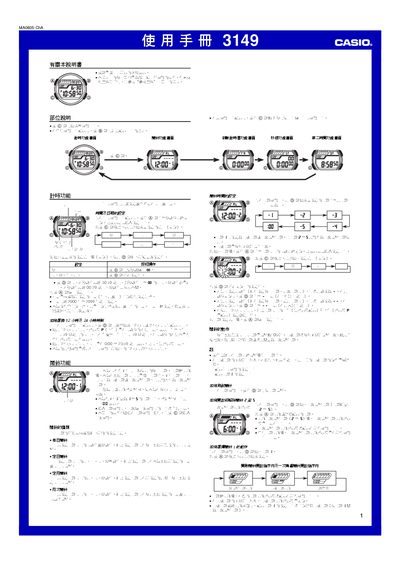
The Timex 3149 1MA0805-ChA electronic watch manual provides step‑by‑step instructions for all functions, including time and date setup, 12/24‑hour display selection, and automatic calendar adjustment. It also covers the five daily alarms, intermittent alarm mode, and the hourly chime feature.
Additional sections describe the countdown timer with auto‑repeat, the stopwatch with a 23 h 59 m 59.99 s range, a second time zone, and how to use the LED backlight in low‑light conditions. Reference data and usage notes are included at the end. This manual is written in Chinese.
| Date range | 2000‑2099 |
|---|---|
| Automatic calendar | Full auto‑adjusting for month length and leap years |
| LED illumination | LED backlight for the display |
| Number of alarms | 5 daily alarms (1 intermittent, 4 single‑shot) |
| Stopwatch range | 23 h 59 m 59.99 s |
Press and hold the A button until the seconds digits flash to enter setting mode, then use C to select the item and D to change the value.
On the timekeeping screen press the D button to toggle between 12‑hour (with P indicator for PM) and 24‑hour mode.
The watch has five daily alarms; alarm 1 can be set as an intermittent alarm (every 5 minutes) or a single‑shot alarm, while alarms 2‑5 are single‑shot only.
Press the B button to illuminate the LED backlight.