
Some of the contents in this manual may differ from your phone depending on the software of the phone or your service provider. AT&T marks contained herein are trademarks of AT&T Intellectual Property and/or AT&T affiliated companies. © 2011 AT&T Intellectual Property. All rights reserved. Actual color of the phone may vary. User Manual Your phone is designed to make it easy for you to access a wide variety of content. For your protection, we want you to be aware that some applications that you enable may involve the location of your phone being shared. For applications available through AT&T, we offer privacy controls that let you decide how an application may use the location of your phone and other phones on your account. However, the AT&T privacy tools do not apply to applications available outside of AT&T. Please review the terms and conditions and the associated privacy policy for each location-based service to learn how location information will be used and protected. In addition, your AT&T phone may be used to access the Internet and to download, and/or purchase goods, applications, and services from AT&T or elsewhere from third parties. AT&T provides tools for you to control access to the Internet and certain Internet content. These controls may not be available for certain devices which bypass AT&T controls. Bluetooth QD ID B016768 LIMITED WARRANTY STATEMENT 1. WHAT THIS WARRANTY COVERS : LG offers you a limited warranty that the enclosed subscriber unit and its enc
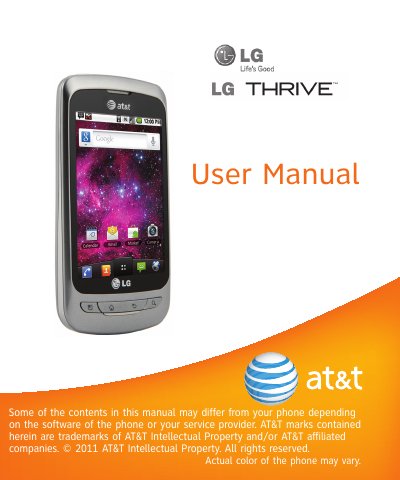
This manual covers everything you need to get started with your LG Thrive phone, including installing the SIM card and battery, charging, using microSD storage, navigating the home screen, managing applications, making calls, messaging, and using the camera and multimedia features. It also explains how to configure Google services, adjust settings, and use utilities such as the alarm, calculator, and voice recorder.
Additional sections provide important safety guidelines, warranty information, and regulatory compliance details such as SAR limits. The warranty covers a 12‑month period from purchase (or 15 months from manufacture) and outlines the process for service and repair. The document also includes instructions for setting up screen lock security and monitoring battery usage.
| FCC SAR limit | 1.6 W/kg |
|---|
The limited warranty covers the phone for twelve (12) months from the date of purchase, or fifteen (15) months from the date of manufacture if no proof of purchase is available.
Open Settings, go to About phone, then select Status to view the battery charge level and charging status.
Press the Menu key, open Settings > Location & security, and choose Set up screen lock to select a pattern, PIN, or password.