
The Founder V series scanner is a flatbed device that supports reflective scanning up to 216 mm × 297 mm and offers optical resolutions up to 2400 dpi (interpolated up to 24 000 dpi). It connects to a computer via USB 2.0 and includes a cold‑cathode lamp and optional OCR software.
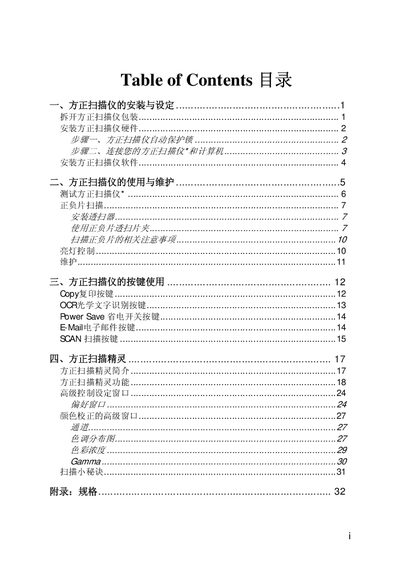
This manual covers unpacking, hardware installation, driver software setup for Windows, button functions, scanning tips, testing procedures, and a full specifications appendix. It guides users through each step, from connecting the power adapter and USB cable to using the Founder Scanner Wizard and performing maintenance. This manual is written in Chinese.
| Physical dimensions | 465 × 260 × 80 mm |
|---|---|
| Weight | 2.5 kg |
| Operating temperature | 10°C to 40°C |
| Maximum scan area (reflective) | 216 mm × 297 mm |
| Scan method | Single‑Pass |
| Color input depth | 48‑bit |
| Color output depth | 24/48‑bit |
| Grayscale input depth | 16‑bit |
| Grayscale output depth | 8/16‑bit |
| Optical resolution | 1200 × 2400 dpi (max 2400 × 4800 dpi) |
| Maximum interpolated resolution | 19200 dpi (up to 24000 dpi) |
| Interface | USB 2.0 |
| Lamp type | Cold Cathode Lamp |
| Power adapter | DC 15 V, 1.0 A |
| Maximum power consumption | 15 W |
Insert the supplied driver CD, follow the on‑screen prompts—select automatic installation or search for drivers—and complete the setup by clicking Next until Finish.