
User manual for Founder Scanner Series
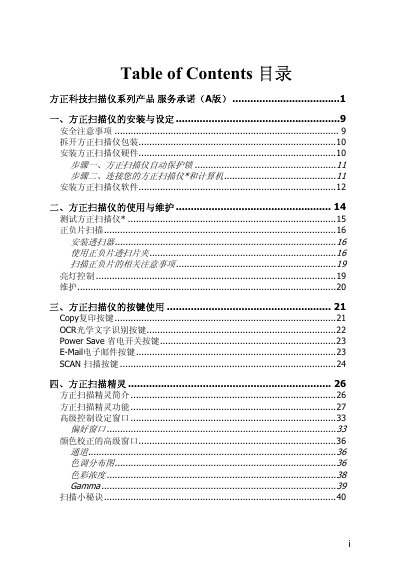
This manual provides step‑by‑step instructions for installing the Founder V70+ and V60+ scanners, including hardware setup, software installation, and safety precautions. Detailed sections describe how to use the scanner’s buttons, OCR, copy, and email functions, as well as advanced settings such as color correction and gamma adjustment.
The document also contains the service commitment, warranty information, and a full specifications appendix that lists dimensions, optical resolution, scan area, power consumption, and interface details for both models. This manual is written in Chinese.
| Physical dimensions | 465 x 260 x 80 mm |
|---|---|
| Weight | 2.5 kg |
| Operating temperature | 10 °C to 40 °C |
| Maximum scan area (reflective) | 216 mm x 297 mm |
| Optical resolution | 1200 x 4800 dpi (color), 2400 x 4800 dpi (black & white) |
| Maximum interpolated resolution | 19200 dpi (color), 24000 dpi (black & white) |
| Connection interface | USB 2.0 (TWAIN compliant) |
| Lamp type | Cold cathode lamp |
| Power output (adapter) | DC 15 V, 1.0 A |
| Power consumption (idle) | 5 watts |
Press the Power Save button on the scanner front panel to enable the low‑power standby mode.
The scanner provides up to 1200 × 4800 dpi optical resolution for color images.
The manual includes a link to download drivers from the Founder website and notes that the scanner is TWAIN compliant for Windows.