
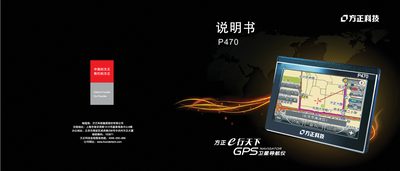
This manual describes the operation of P470 tablet PC, including power on, power off, sleep wake, battery charging, system main interface, CMMB mobile TV function.
The P470 provides two selectable themes for its main interface, allowing quick access to satellite navigation, CMMB mobile TV, video, music, Bluetooth and other functions. Users can switch between functions by tapping icons, with animated transitions and page‑turn arrows for browsing.
Power management includes detailed battery‑charging guidelines, sleep and shutdown procedures, and instructions for returning to the Win CE desktop. The device also supports video input from external sources, and offers media playback for video, audio and images with various control options. This manual is written in Chinese.
| Initial battery charge time | 8 hours (first three cycles) |
|---|---|
| Maximum initial charge time | 16 hours |
| Continuous charging time for full charge | 2‑2.5 hours |
| Battery storage recommendation | Charge every 2‑3 months and remove battery if not used long‑term |
Press the power button once while the device is off; the screen will show the boot animation and sound.
Open the Toolbox, tap the desktop icon, confirm the prompt, and the device switches to the Win CE desktop.
The device plays AVI, MPG, ASX, DAT, ASF and WMV files.