
This user manual introduces the functions and features of Samsung mobile phone GT-S5660, including safety precautions, instructions for using the phone before reading, icon indicators, etc.
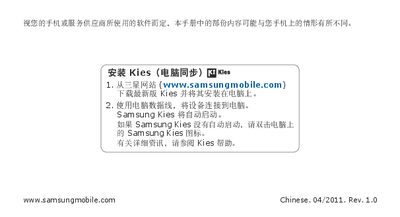
This manual explains how to install Samsung Kies on a computer, connect the GT‑S5660 via USB and update the device’s software. It also describes the phone’s basic functions, icon meanings, and how to use features such as Wi‑Fi, Bluetooth and Google services.
Safety and regulatory sections cover warning symbols, SAR values, proper battery disposal, and environmental recycling instructions. Copyright and trademark notices are included, along with a disclaimer about third‑party content. This manual is written in Chinese.
| Maximum SAR value | 0.791 W/kg |
|---|---|
| SAR limit (EU) | 2.0 W/kg |
Download the latest Samsung Kies from the Samsung website, install it on a computer, connect the phone via USB and use Kies to update the device.
The maximum SAR value recorded for the GT‑S5660 is 0.791 W/kg.
Separate the battery from other waste and use local recycling programs for proper disposal.
The warning icon is a triangle with an exclamation mark, indicating a possible hazard to the user or device.