
This is the user's guide for Sony Ericsson K550i mobile phone. It introduces the functions and operations of each part of the phone, including assembly, SIM card, battery, power on, instructions, communication shutdown mode, call, i-mode quick directory, PC Suite, camera and other contents.
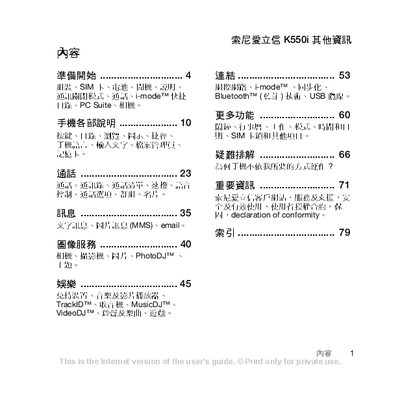
This manual covers the basic setup of the Sony Ericsson K550i, including inserting the SIM card and battery, configuring the device for the first time, and using core functions such as calls, messaging, and media playback. It also explains advanced features like Flight mode, Bluetooth connectivity, and PC Suite integration.
Additional sections provide detailed troubleshooting tips, safety information, and an index for quick reference to specific topics such as camera operation, memory card usage, and service contacts. This manual is written in Chinese.
| Network bands | GSM 850/900/1800/1900 |
|---|---|
| Bluetooth | Supported |
| Camera | Cyber‑shot |
Place the SIM card with the metal contacts facing down and the labeled side up, then push it into the slot as shown in the manual.
Flight mode disables all network‑related functions such as cellular voice, Bluetooth, and FM radio, allowing the phone to be used with limited features.
Install Sony Ericsson PC Suite on the computer and connect the phone via the USB cable to access data transfer and synchronization features.
Refer to the troubleshooting section for common issues such as network problems, battery performance, or software errors.