
This document is a Chinese simplified instruction manual, which introduces the features and characteristics of a product called G11, including functions such as receiver, optical sensor, display screen, camera, etc.
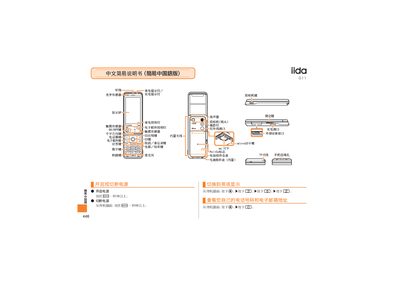
This manual explains how to operate the iida G11 phone, including turning the device on and off, charging, and using the built‑in antenna and external interfaces. It also describes the status indicators such as incoming call light, charging light, and display.
Further sections cover making and receiving calls, saving and viewing contact lists, using the camera for photos and video, switching between photo and video modes, setting silent mode, and recording voice memos. Instructions for navigating the standby screen and using the touch sensor are also included. This manual is written in Chinese.
Press and hold the ON/OFF key for more than one second.
From the standby screen, enter the phone number you want to call and press the call button.
Press the designated button to toggle between video and photo modes during recording.
From the standby screen, press and hold the mute button for more than one second; repeat to cancel.