
This manual describes how to use the Philips Design - Brugge television.
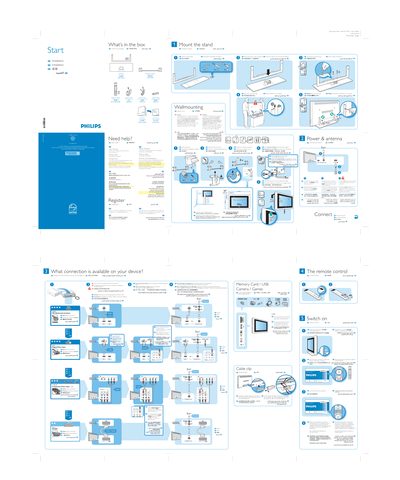
This quick start guide provides installation instructions for Philips televisions. It covers what is in the box, stand mounting, wall mounting, and connecting power, antenna, and external devices.
The document also shows remote control and connection options such as HDMI, DVI, component video, SCART, USB, and memory card. It includes on-screen language selection, initial setup steps, and support and registration information.
| Screen size | 42 inch (107 cm) |
|---|---|
| Weight | 38 kg |
| Supported video formats | 480p, 576p, 720p, 1080i |
The user manual is in the user kit that came with the TV.
You can return the warranty registration card or register online at www.register.philips.com.
Connect all cables or devices before plugging in the power and switching on the TV.
Online help is available at www.philips.com/support, and local contact information is in the information leaflet in the user kit.