
AD7781 is a 20-bit low power Sigma-Delta ADC from Analog Devices. It features programmable filter response, update rate, gain, power-down and reset. The supply voltage range is 2.7V to 5.25V and the operating temperature range is -40°C to +105°C.
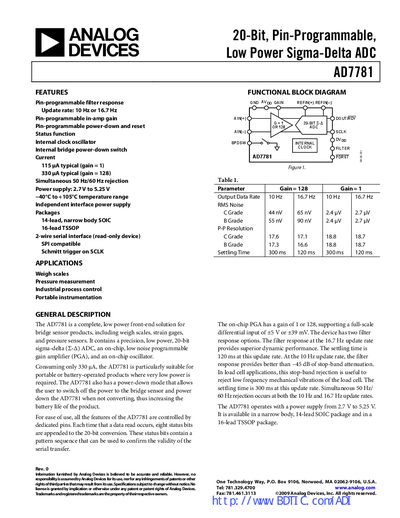
The AD7781 is a complete front‑end solution for bridge‑sensor products such as weigh scales, strain gauges, and pressure sensors. It integrates a 20‑bit sigma‑delta ADC, a low‑noise programmable‑gain amplifier, and an on‑chip oscillator, operating from 2.7 V to 5.25 V and consuming as little as 115 µA (gain = 1).
The device offers pin‑programmable filter response (10 Hz or 16.7 Hz update rates), gain selection (1 or 128), and a power‑down switch that can turn off the bridge sensor and the ADC to extend battery life. It is supplied in 14‑lead narrow‑body SOIC and 16‑lead TSSOP packages.
| Power Supply Voltage | 2.7 V to 5.25 V |
|---|---|
| Update Rate | 10 Hz or 16.7 Hz |
| Operating Temperature Range | –40 °C to +105 °C |
| Package Options | 14‑lead SOIC, 16‑lead TSSOP |
The AD7781 can operate at either 10 Hz or 16.7 Hz update rates, selectable via a pin‑programmed filter.
The AD7781 is offered in a 14‑lead narrow‑body SOIC package and a 16‑lead TSSOP package.
When the PDRST pin is low, the bridge power‑down switch opens and the ADC is placed in power‑down mode, reducing current draw and extending battery life.