
The document describes the features and characteristics of the DS9105 series iButton products, including DS1982-based iButtons, 128 bytes of user-programmable EPROM, available as a set of 12 or individual buttons.
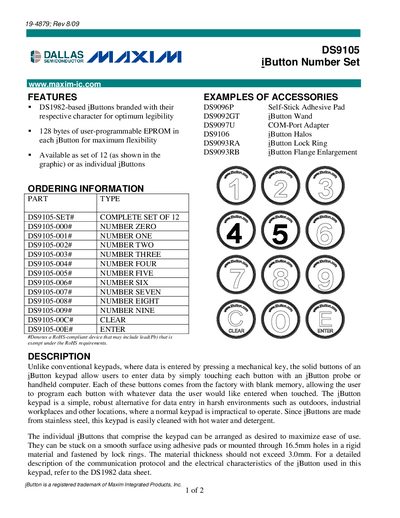
The DS9105 set provides a complete keypad of 12 programmable iButtons, each with blank memory that can be programmed for custom data entry. The set includes accessories such as the DS9096P self‑stick adhesive pad, DS9092GT iButton wand, DS9097U COM‑Port adapter, and lock rings for mounting.
The iButton keypad is designed for harsh environments, allowing users to enter data by touching a button with an iButton probe or handheld computer. iButtons can be mounted using adhesive pads or through 16.5 mm holes and fastened with lock rings; the mounting surface should not exceed 3.0 mm in thickness. The device is RoHS‑compliant.
| RoHS compliance | RoHS‑compliant device |
|---|---|
| Maximum material thickness | 3.0 mm |
| Mounting hole diameter | 16.5 mm |
The solid buttons of an iButton keypad allow users to enter data by simply touching each button with an iButton probe or handheld computer, making it suitable for harsh environments.
The DS9105 set includes a complete set of 12 iButtons, numbered 0‑9, Clear, and Enter.
They can be stuck on a smooth surface with adhesive pads or mounted through 16.5 mm holes and fastened with lock rings.