
This is the user manual for the Sony WM-GX221 radio cassette recorder
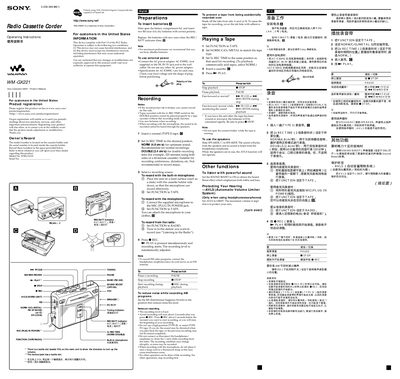
This manual provides step‑by‑step instructions for using the Sony WM‑GX221 Walkman. It explains how to insert batteries, connect external power, record from cassette, radio, or built‑in microphone, and play back tapes. Safety precautions, headphone use, and hearing‑protection guidelines are also included.
Additional sections cover troubleshooting, cleaning the tape head, warranty information, and recommended accessories. Technical specifications such as frequency ranges, power requirements, dimensions, and battery life are listed for reference.
| FM frequency range | 87.5‑108 MHz |
|---|---|
| AM frequency range | 526.5‑1606.5 kHz |
| Playback frequency response | 40 Hz – 15 kHz |
| Recording frequency response (NORM) | 100 Hz – 8 kHz |
| Input connector | Microphone (MIC) jack |
| Output connector | Headphones jack |
| Load impedance | 8 Ω – 300 Ω |
| Power requirements | 3 V DC, 2 × AA (R6) batteries |
| Dimensions (W × H × D) | 112 mm × 82.5 mm × 38 mm |
| Mass | ≈190 g (main unit only) |
| Supplied accessories | Stereo headphones/earphones, stereo microphone, carrying pouch |
Slide open the battery compartment lid and insert two R6 (size AA) dry batteries with the correct polarity.
Connect the AC‑E30HG power adaptor to the DC IN 3 V jack and to a wall outlet; do not use any other adaptor.
Use the cleaning cassette CHK‑1W / C‑1KW (not supplied) every 10 hours of use.