
The instructions introduce the use of the Sony WM-FX199 radio cassette player, including inserting batteries, connecting external power, playing tapes, stopping playback, automatically limiting maximum volume, emphasizing sound, listening to the radio, and improving broadcast reception.
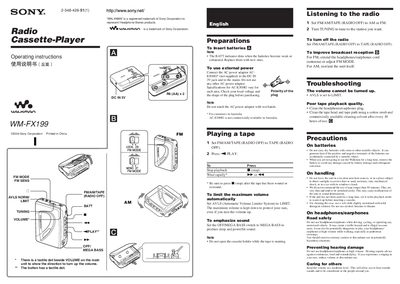
This manual provides step‑by‑step operating instructions for the Sony WM‑FX199 Walkman, including how to insert batteries, use the external AC adapter, play tapes, and listen to FM/AM radio. It also covers troubleshooting tips, safety precautions, and maintenance guidelines.
The specifications section lists the frequency ranges, power requirements, dimensions, weight, supplied accessories and battery life, helping users understand the device’s capabilities and proper power sources.
| FM frequency range | 87.5‑108 MHz |
|---|---|
| AM frequency range (Italy & Saudi Arabia) | 526.5‑1606.5 kHz |
| AM frequency range (Americas) | 530‑1710 kHz |
| Power requirement (batteries) | Two AA batteries, 15 V DC × 2 |
| Dimensions | 86.1 × 117.7 × 32.1 mm (W × H × D) |
| Mass | ≈ 140 g (unit only) |
| Supplied accessories | Stereo headphones or earphones |
| Battery life (radio) | ≈ 55 hours |
Replace the batteries with new AA cells when the BATT indicator dims, as the batteries are weak or exhausted.
Set the AVLS (Automatic Volume Limiter System) switch to the LIMIT position; the device will keep the volume down even if you turn the volume knob up.
Use the AC‑E30HG adapter (not supplied) that matches the local voltage and polarity; do not use any other AC power adapter.
Extend the headphones/earphones cord (which acts as an antenna) or adjust the FM MODE setting.