
This is a radio cassette player made by Sony Corporation, model WM-FX700.
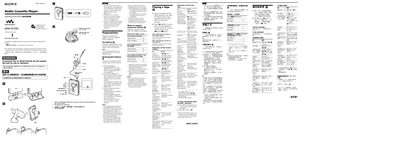
This manual explains how to operate the Sony WM-FX700 Walkman, a portable radio‑cassette player. It covers basic functions such as tape playback, volume control, and remote‑control operation, as well as detailed instructions for using the built‑in AM/FM radio.
The guide also includes safety precautions, battery handling, charging procedures, and troubleshooting tips, helping users maintain reliable performance and protect their hearing.
| FM Frequency Range | 76.0‑90.0 MHz (Japan) / 87.5‑108 MHz (other regions) |
|---|---|
| AM Frequency Range | 531‑1710 kHz (Japan) / 530‑1710 kHz (Americas) / 531‑1602 kHz (other regions) |
| Power Requirements | 15 V |
| Dimensions (W × H × D) | 77.1 × 108.0 × 22.5 mm |
| Mass | Approx. 153 g (5.4 oz) |
| Battery Types | One R6 (AA) dry battery or rechargeable NH‑10WM (1.2 V, 900 mAh) |
Insert the supplied rechargeable battery, connect the AC adaptor, place the unit on the charging stand, and the CHG lamp will light up; full charge takes about 6 hours.
Turn on the radio, press ENTER to start presetting, then use TUNE/PRESET + or ‑ while the frequency digits flash, press ENTER to store the station, and repeat for additional presets.
Press MENU repeatedly to select AVLS, then press SET to show “GH”; press SET again to cancel the AVLS function.
Use a cotton swab and a commercially available cleaning solvent to clean the tape head and tape path after every 10 hours of use.