
This document is a guide to install the Lenovo M8xx printer, and it provides information on connecting, installing and configuring the printer.
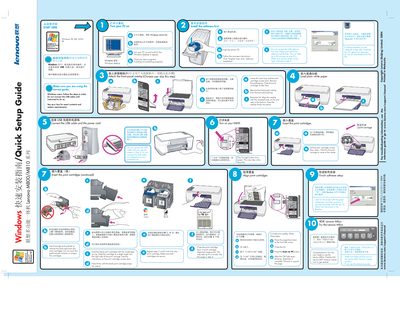
This guide walks you through the initial setup of Lenovo M800, M810 and M810S all‑in‑one printers. It starts with turning on the PC, installing the driver software from the CD, and explains when to connect the USB cable.
Later sections describe loading the black and color ink cartridges, performing calibration, and completing the software installation. Troubleshooting tips are provided for common issues such as missing screens or error indicators. This manual is written in Chinese.
| Supported operating systems | Windows 98, ME, 2000 |
|---|