
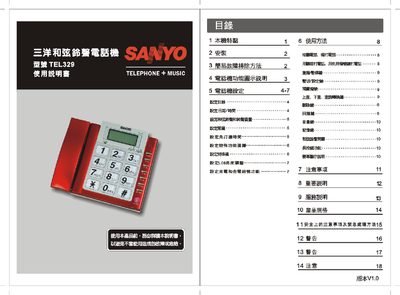
The Sanyo TEL329 is a telephone with music capabilities featuring a color backlit LCD screen. It supports FSK/DTMF call display, adjustable screen brightness, and various call handling functions such as call waiting, redial, and pause. The device operates on three AAA batteries to enable features like call display and hands-free operation.
The manual details how to set the date and time, configure do-not-disturb periods, adjust volume levels, and set up caller ID reporting. It also includes a troubleshooting guide for common issues like call display malfunctions and battery problems. This manual is written in Chinese.
| Battery Type | Three AAA batteries |
|---|---|
| Call Display Standard | FSK /DTMF |
| Chord Function | 10 groups |
| Built-in Memory | 10 groups |
The telephone requires three AAA batteries to ensure call display and hands-free functions work.
Press the '7' key in standby mode, then use the 'Up' or 'Down' search keys to adjust the brightness.
The call display function only works if the local telecommunications bureau has opened the call display service.
Press the '4' key in standby mode and directly input the desired time duration.