
The quality inspection of smart TVs is conducted to analyze the functions and performance of the products.
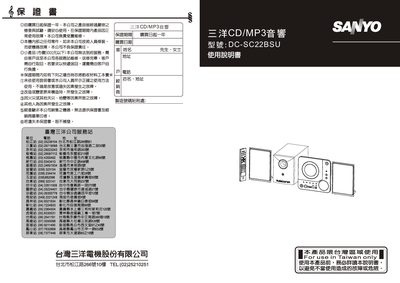
This manual provides detailed instructions for operating the Sanyo DC‑SC22BSU CD/MP3 audio system, covering basic functions, CD/MP3 playback, FM radio, and auxiliary inputs. It also includes safety warnings, battery replacement for the remote, and specifications of the unit.
The guide explains how to connect speakers and the sub‑woofer, adjust sound settings such as EQ modes, set the clock and timer, and perform basic troubleshooting. All procedures are illustrated with button diagrams and step‑by‑step directions. This manual is written in Chinese.
| Power Supply | AC~110V‑60Hz |
|---|---|
| Output Power | Main: 5W x2, Subwoofer: 30W |
| Main Unit Dimensions | 207 mm (W) × 80 mm (D) × 205.5 mm (H) |
| Speaker Dimensions | 139 mm (W) × 85 mm (D) × 203 mm (H) |
| Subwoofer Dimensions | 131 mm (W) × 242.5 mm (D) × 170 mm (H) |
| Net Weight | 6.6 kg |
| FM Reception Range | 87.5 MHz – 108 MHz |
| Frequency Response | 100 Hz – 16 kHz |
Press the TIMER key on the remote to enter timer setting mode; use the SKIP/ : keys to adjust the hour, press TIMER again to set minutes, then press TIMER once more to toggle ON or OFF.
Open the speaker cable, insert the plug into the subwoofer speaker socket, then connect the subwoofer cable between the main unit and the subwoofer.
Slide the battery cover down, insert two UN‑4 (UM‑4) 1.5 V batteries with correct polarity, then press the cover until it clicks.
Press the EQ key on the remote; each press cycles through the sound fields: Normal, Classical, Rock, Pop, Jazz.