
The document describes the features and characteristics of the products, including the appearance design, functional features, technical specifications, etc.
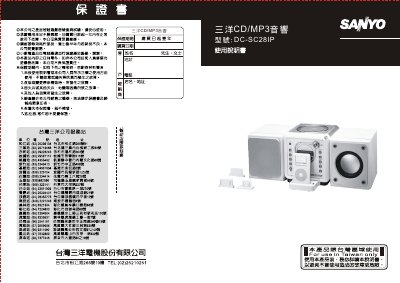
The DC‑SC28IP is a CD/MP3 audio system with built‑in radio, USB, iPod, and AUX inputs. It features a remote control, LCD display, EQ sound‑field selection, anti‑shock protection, and a rechargeable backup battery.
This manual explains how to connect the speaker wires and power, operate the remote, set the clock and timer, select radio stations, play CDs, MP3/WMA discs, USB drives, and iPods, adjust EQ and sound‑field modes, use repeat, random and preview functions, edit track numbers, and care for discs. Safety warnings and product specifications are also included. This manual is written in Chinese.
| Power Supply | 110V~60Hz |
|---|---|
| Output Power | 4.5W |
| Main Unit Dimensions | 208 × 165 × 178 mm (L × W × H) |
| Weight | 2.48 kg |
| AM Radio Frequency Range | 522 ~ 1620 kHz |
| FM Radio Frequency Range | 87.5 ~ 108 MHz |
| USB Version Support | 1.1 and 2.0 |
| iPod Compatibility | iPod only (no charging in standby) |
Press and hold the iPod/MEM/CLK‑ADJ key for more than three seconds to enter time‑setting mode, then use the TUNER/SKIP keys to adjust hours and minutes, confirming with the same key.
The anti‑shock function is automatically enabled when a CD/MP3 disc is played; you can toggle it off by pressing the ID3/ESP key on the remote, which removes the ESP indicator from the display.
Unfold the speaker wires and attach them to the speaker‑terminal connectors on the back of the unit.