
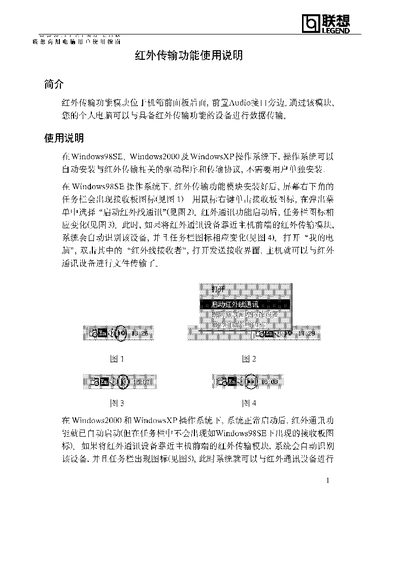
This manual explains how to use the infrared transfer function on a Legend commercial notebook. It covers automatic setup under Windows 98SE, Windows 2000, and Windows XP, including the on-screen infrared icon and device pairing.
It also provides troubleshooting guidance for infrared communication problems, including device distance and reception angle, obstacles, BIOS IrDA settings, software or driver compatibility, and COM2 port usage. This manual is written in Chinese.
| Supported operating systems | Windows 98SE, Windows 2000, Windows XP |
|---|---|
| Unsupported operating systems | DOS and Windows NT |
| Maximum distance between infrared devices | 30 cm |
| Minimum reception angle | 15 degrees |
Windows 98SE, Windows 2000, and Windows XP support the infrared transfer function.
No, DOS and Windows NT do not support the infrared transfer function.
Check that the devices are within 30 cm, the reception angle is at least 15 degrees, no obstacles block the path, and the BIOS IrDA setting is enabled.
When the infrared function is enabled, the motherboard COM2 port is occupied.