
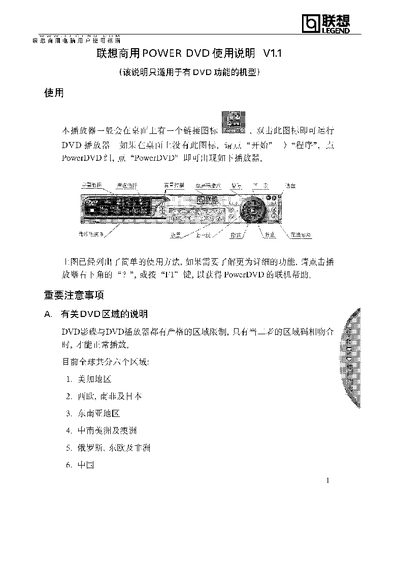
This document is the user manual for the Lenovo POWER DVD software, version 1.1. It provides instructions for users on how to launch the application and access the help system. The guide specifically addresses the functionality of playing DVDs on Lenovo commercial machines equipped with this software. This manual is written in Chinese.
| Software Version | V1.1 |
|---|---|
| Region Code Limit | 5 times |
| Supported Regions | 6 regions |
Click the shortcut icon on the desktop, or go to 'Start' -> 'Programs' -> 'PowerDVD'.
You can change the region code setting a maximum of 5 times.
The system will display a region control message, and the DVD cannot be played unless the settings are changed.