
The Zhaoyang R370 is a super rugged and compact handheld computer with multiple performance and reliability. It is equipped with a powerful Intel PXA270 624 MHz CPU, 256MB RAM, 256MB flash memory, and Microsoft Windows CE 5.0 operating system. It has features such as waterproof, shockproof, and dustproof, making it suitable for use in harsh outdoor environments.
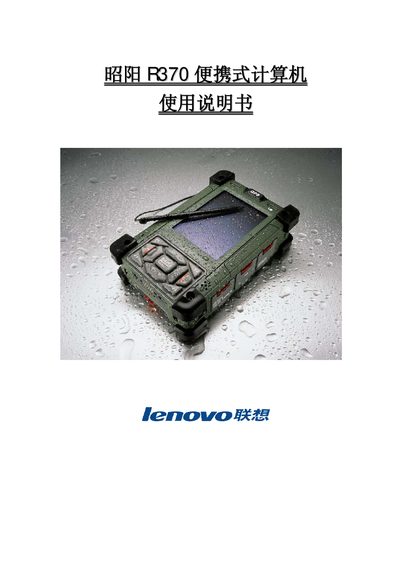
This manual explains how to operate, configure, and maintain the Lenovo R370 handheld computer. It covers battery installation, charging, screen calibration, connectivity (Bluetooth, Wi‑Fi, GPS, GSM), and environmental specifications for rugged outdoor use.
Additional sections describe routine maintenance, battery care, and detailed fault‑diagnosis procedures to ensure reliable performance in harsh conditions. This manual is written in Chinese.
| CPU | Intel PXA270 624 MHz |
|---|---|
| RAM | 256 MB |
| Flash Storage | 256 MB |
| Display | 3.7" TFT LCD, VGA 480×640 |
| Dimensions | 155 mm × 96 mm × 42 mm |
| Operating Temperature | -20 °C to +60 °C |
| Ingress Protection | IP67 |
| Military Standards | MIL‑STD‑810F, MIL‑STD‑461E |
| Battery | Li‑ion 7.4 V 1880 mAh |
| Wi‑Fi | 802.11b/g |
| Bluetooth | Class 2, V1.2 |
| GPS | GPS & GALILEO |
| Cellular | GSM/GPRS/WCDMA/HSDPA (3.5G) |
Open the back cover, align the battery in the slot, and lock the cover.
It operates from –20 °C up to +60 °C.