
This Quick Guide explains how to shoot and view still images with the FinePix A310 digital camera. For detailed instructions, refer to the camera's user manual.
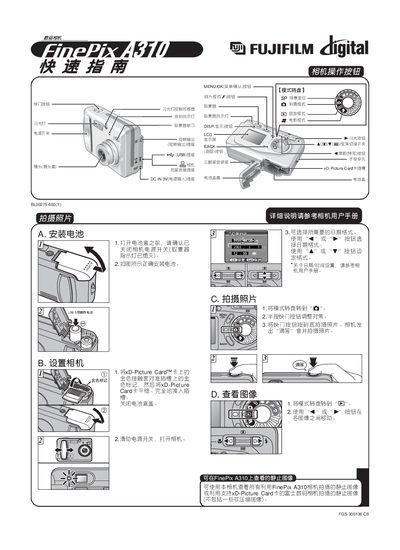
This guide introduces the basic functions of the Fujifilm FinePix A310 camera, including how to install the battery, select shooting modes, use the shutter button, and insert the xD‑Picture Card. It also explains the operation of the LCD screen, viewfinder indicators, and flash controls.
The document provides step‑by‑step instructions for connecting the camera to a computer, installing the accompanying software, setting the USB mode to card‑reader, and transferring images. It covers saving images to the PC, viewing them with FinePixViewer, and basic troubleshooting tips. This manual is written in Chinese.
| Power Input Voltage | 3 V |
|---|