
eb-455wi/eb-465i is a short-throw interactive projector from epson, with features such as short-throw projection, interactive projection, desktop projection mode, a new ultra-long life filter net, and a standard installation hook
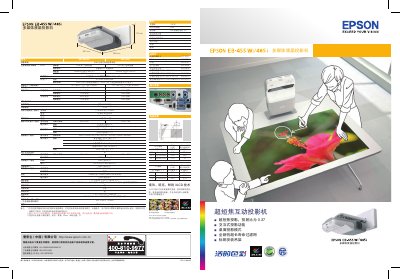
The EB-455Wi and EB-465i are ultra‑short‑throw interactive projectors that support desktop projection mode, a long‑life electrostatic filter, and a standard mounting bracket. They use a RGB light‑valve 3LCD system with resolutions of WXGA (1280×800) and XGA (1024×768), offering bright, vivid images and interactive pen functionality without a separate whiteboard.
The manual covers installation, wiring, and operation details, including video and audio inputs (D‑sub, RCA, component, HDMI), USB, RS‑232C, RJ45 Ethernet, and optional wireless. It lists power requirements (110‑240 V AC, 343 W), operating temperature (5 °C‑35 °C), dimensions (481 × 369 × 115 mm), weight (5.8 kg), and accessories such as power cable, USB cable, remote, and interactive pen kit. This manual is written in Chinese.
| Resolution | WXGA (1280×800) and XGA (1024×768) |
|---|---|
| Standard Brightness | 2500 lumens (WXGA) / 3000 lumens (XGA) |
| Eco Brightness | 1740 lumens (WXGA) / 2080 lumens (XGA) |
| Lamp Life | 2500 h (standard) / 2000 h (eco) |
| Power Consumption | 343 W |
| Weight | 5.8 kg |
The EB-455Wi needs about 63 cm, while the EB-465i needs about 60 cm to project an 80‑inch screen.
The projector operates between 5 °C and 35 °C.