
This manual describes how to install and use the optional telephoto and wide angle lenses for the Fluke Ti32 Thermal Imager.
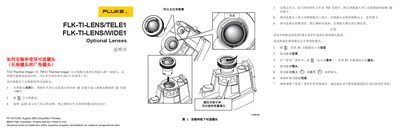
This manual explains how to install and use the optional telephoto (FLK‑TI‑LENS/TELE1) and wide‑angle (FLK‑TI‑LENS/WIDE1) lenses for Fluke Ti32 and TiR32 thermal imagers. It covers inserting the SD card with the correct firmware, aligning the lens, and locking it in place, as well as selecting the lens in the device menu.
The guide also describes the on‑screen indicators for each lens, the effect on IR‑Fusion when using the wide‑angle lens, and proper removal and storage of the lenses. Contact information and warranty details are provided at the end of the document. This manual is written in Chinese.
| Wide‑angle lens disables IR‑Fusion | Enabled |
|---|---|
| Telephoto lens indicator | ET symbol appears on LCD |
A Wi symbol appears on the display when the wide‑angle lens is active.
Temperature measurements may be inaccurate.