
ZT60 digital pressure gauge is a digital pressure gauge for the semiconductor industry. It has good durability and stability, uses semiconductor strain gauges, and is equipped with comparator output, analog output and loop check function for reliable measurement.
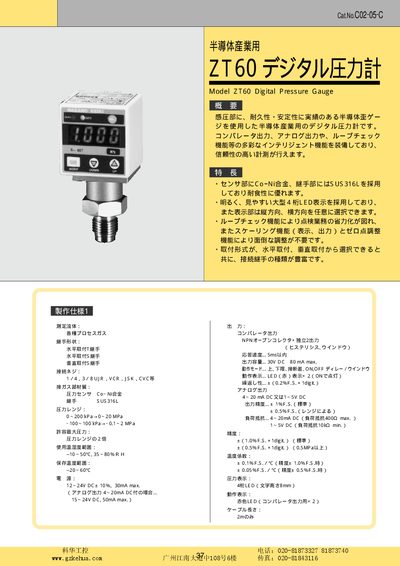
The ZT60 is a semiconductor‑based digital pressure gauge designed for industrial process gases. It features a large 4‑digit LED display, selectable orientation, and intelligent functions such as loop‑check, scaling, and zero‑adjust.
The manual covers the gauge's specifications, output options (comparator and analog), power requirements, connector types, installation configurations, and safety precautions, allowing users to set up and operate the instrument correctly. This manual is written in Japanese.
| Pressure range | 0 ~ 200 kPa and 0 ~ 20 MPa |
|---|---|
| Accuracy | ±1.09 % FS + 1 digit (standard) |
| Power supply | 12‑24 V DC ±10 % (30 mA max) or 15‑24 V DC (50 mA max for analog output) |
| Operating temperature / humidity | -10 °C to 50 °C, 35 %–80 % RH |
| Sensor material | Co‑Ni alloy |
| Connector thread | 174.378 UIR, VCR, SK, CVC etc. |
The ZT60 can measure from 0 to 200 kPa and up to 20 MPa, with additional ranges such as –100 kPa to 100 kPa for lower spans.
The gauge operates from 12‑24 V DC (±10 %) with a maximum current of 30 mA, or 15‑24 V DC up to 50 mA when using the analog output.
Press and hold the AD key for more than 3 seconds, then release after about 1 second to execute a one‑touch zero adjustment.