
SanDisk Cruzer Contour USB Open/Close Operation Guide

This document is Cruzer Contour USB Connector User Manual. It contains user guide of open and close operation.
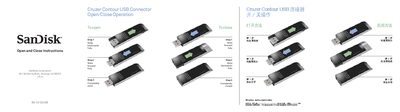

SanDisk Cruzer Contour USB Open/Close Operation Guide - cover page
Brand
SanDisk
Category
Other Electronics
Document type
Quick Start Guide
Language
English
Pages
2
File format
PDF
File size
462 KB
Published
10 February, 2012
Updated
30 September, 2023
MD5 checksum
8850AC8EDC37B66816540F57037F9E2B

About this manual

The document provides step‑by‑step instructions for opening and closing the USB connector of the SanDisk Cruzer Contour flash drive. It shows the sliding motion required to fully expose or hide the connector.

Three simple steps are illustrated: slide the connector backwards to open it, slide it forwards to close it, and ensure it is fully seated. Contact information for SanDisk technical support is also included.

What's inside

  • Open and Close Instructions
  • Step‑by‑Step Procedure
  • Safety and Handling
  • Technical Support Information

Specifications

Model numberCruzer Contour USB #223

Frequently asked questions

How do I open the USB connector?

Slide the connector backwards until it is fully open.

Download PDF (462 KB)

More SanDisk Manuals


View all SanDisk manuals →