
The Philips GoGear MP3 Video Player ViBE 8GB* SA1VBE08K is a portable audio and video player with a 1.5-inch full-color display that shows album art and folder views to ensure easy file navigation and organization. This player also supports FM radio, a recording function, and USB direct charging.
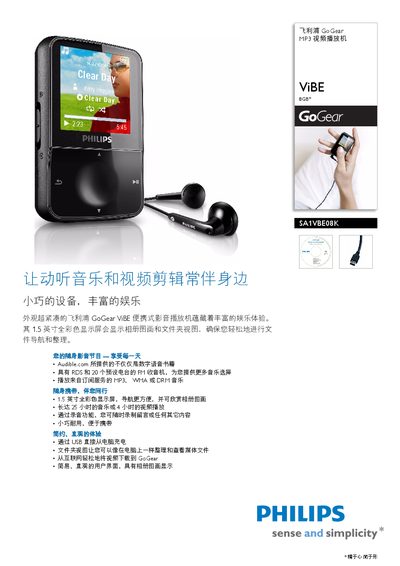
The GoGear SA1VBE08K is a compact portable media player with a 1.5‑inch full‑color LCD display (128 × 128 pixels) and 8 GB of internal NAND flash storage. It supports MP3 and WMA audio files, JPEG/BMP images, and includes FM radio with RDS and 20 preset stations.
The device offers up to 25 hours of audio playback or 4 hours of video playback on a single charge, can be recharged via a USB 2.0 connection, and features a 3.5 mm headphone jack, USB connectivity, and a range of playback controls. Physical dimensions are 66 × 42 × 11.6 mm and it weighs 0.034 kg. This manual is written in Chinese.
| Display size | 1.5 inch |
|---|---|
| Display resolution | 128 × 128 pixels |
| Internal storage | 8 GB NAND flash |
| Battery life (video) | Up to 4 hours |
| Power output | 2 × 2.4 mW |
| Signal‑to‑noise ratio | > 84 dB |
| THD | 0.05 % at 1 kHz |
| Frequency response | 20 – 18 kHz |
| Supported audio formats | MP3, WMA |
| Supported image formats | JPEG, BMP |
| USB interface | USB 2.0 |
| Headphone jack | 3.5 mm |
| Dimensions (W × H × D) | 66 × 42 × 11.6 mm |
| Weight | 0.034 kg |
| FM radio | RDS, 20 preset stations |
| Battery capacity | 340 mAh |
It includes 8 GB of NAND flash memory for storing media files.
The player supports MP3 and WMA audio files.
Charging is done via the USB 2.0 port using the supplied cable.