
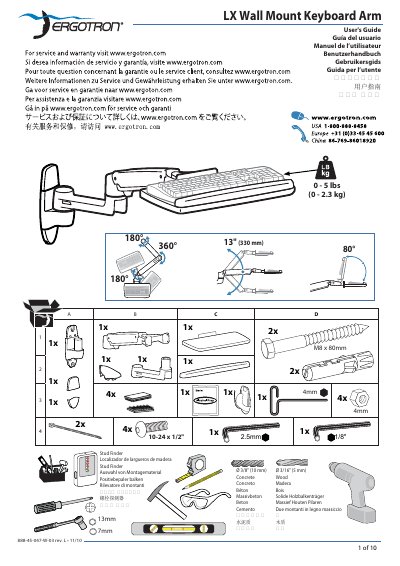
This LX Wall Mount Keyboard Arm User's Guide introduces the features and characteristics of the product, including the working principle, installation method, and usage method.
This guide explains how to set up an ergonomic workstation with the LX Wall Mount Keyboard Arm. It recommends positioning the monitor slightly below eye level, placing the keyboard at elbow height with wrists flat, and keeping the screen about an arm's length away (≈20 inches). The arm should be tilted back 10° to maintain a neutral wrist posture.
The manual also covers mounting requirements, safety cautions, and adjustment procedures. The wall must be able to support four times the total weight of the mounted equipment, and mounting holes must be at least 3‑1/8" (80 mm) deep in solid concrete. Use the specified 10‑24 × 5/8" screws for pole clamps, and always keep the arm in its highest position before removing any attached equipment to avoid stored‑energy hazards.
| Weight capacity | 0‑5 lbs (0‑2.3 kg) |
|---|---|
| Minimum mounting‑hole depth | 3‑1/8" (80 mm) |
| Screw size for pole clamps | 10‑24 × 5/8" |
The top of the screen should be slightly below eye level.
Mounting holes must be at least 3‑1/8" (80 mm) deep in solid concrete.
Do not remove equipment unless the arm is moved to its highest position to avoid stored‑energy hazards.
Use 10‑24 × 5/8" screws that are supplied with the pole brackets.