
Key facts
- Manuals
- 2
- Categories
- 1
- Languages
- ZH · EN
- Last added
- 2026-09-30
Featured LX manuals

LX K-H10NS Motherboard User Manual
This manual introduces the K-H10NS motherboard, covering safety precautions, product overview, and detailed specifications such as supported processors, chipset, memory capacity, and physical dimensions. It also describes the layout of front and rear connectors, pin definitions, and functional blocks.
Additional sections explain BIOS configuration steps and provide reference tables for jumper settings, USB, LAN, and other interface pins, helping users install and configure the board correctly. This manual is written in Chinese.
Covers: Precautions · Product Overview · Product Specifications · Physical Interface Introduction · Function Definition · BIOS Settings
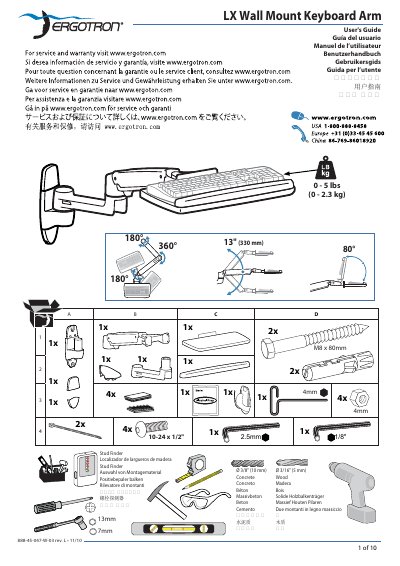
LX Wall Mount Keyboard Arm User Manual
This guide explains how to set up an ergonomic workstation with the LX Wall Mount Keyboard Arm. It recommends positioning the monitor slightly below eye level, placing the keyboard at elbow height with wrists flat, and keeping the screen about an arm's length away (≈20 inches). The arm should be tilted back 10° to maintain a neutral wrist posture.
The manual also covers mounting requirements, safety cautions, and adjustment procedures. The wall must be able to support four times the total weight of the mounted equipment, and mounting holes must be at least 3‑1/8" (80 mm) deep in solid concrete. Use the specified 10‑24 × 5/8" screws for pole clamps, and always keep the arm in its highest position before removing any attached equipment to avoid stored‑energy hazards.
Covers: Ergonomic Guidelines · Mounting Requirements · Caution and Safety · Wall Track and Brackets · Fasteners · Stored Energy Hazard
Latest LX manuals
LX K-H10NS Motherboard User Manual
User Manual 16 pages · 1.6 MB · ZHThe LX K-H10NS motherboard user manual provides an overview, specifications, connector details, function definitions, and BIOS setup instructions.
LX Wall Mount Keyboard Arm User Manual
User Manual 10 pages · 1.4 MB · ENThe LX Wall Mount Keyboard Arm User Manual provides installation, ergonomic setup, and safety instructions for mounting and using the keyboard arm.
Which document do I need?
User Manual
Day-to-day operation, settings and troubleshooting. Start here if the product is already set up.
Questions answered in LX manuals
What temperature and humidity range is recommended for operating the K-H10NS motherboard?
The board should be used in environments between -10 °C and 60 °C with humidity up to 90 %RH.
How many DDR4 memory slots does the board have and what is the maximum supported memory?
It has four DDR4 DIMM slots and supports up to 64 GB of memory.
What height should the monitor be positioned at?
The top of the screen should be slightly below eye level.
How deep must the mounting holes be drilled?
Mounting holes must be at least 3‑1/8" (80 mm) deep in solid concrete.