
The camera comes with two protective covers, which can protect the edges of the camera from damage when dropped. The camera is equipped with 6 screws, including 4 long screws for installing the protective cover, and 2 short screws as spare replacement parts. Two long screws are needed for installing the protective cover.
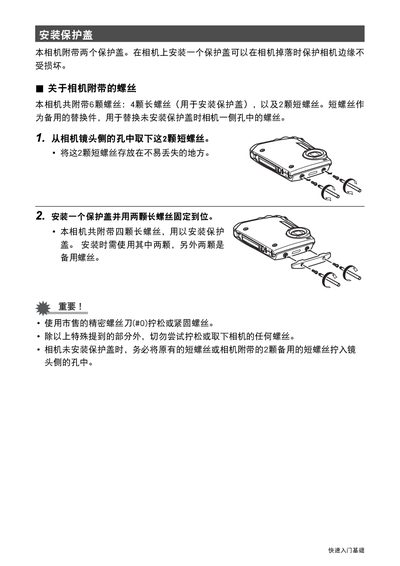
The guide provides basic instructions for attaching the protective cover that comes with the camera. It details the number and type of screws included and the proper tool to use.
Follow the steps to remove the short screws, store them safely, and install the cover using two of the four long screws. Use a #0 precision screwdriver and avoid loosening any other camera screws. This manual is written in Chinese.
Use a commercially available precision screwdriver size #0.
No, except for the screws specifically mentioned, you should not attempt to loosen or remove any other camera screws.