
Key facts
- Manuals
- 16
- Categories
- 1
- Languages
- ZH · EN
- Last added
- 2012-08-03
Featured 相机 manuals
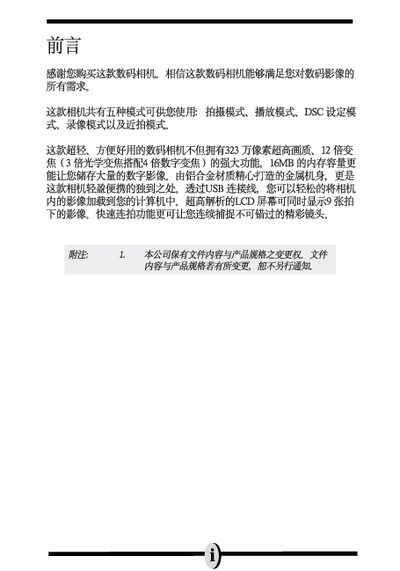
Digital Camera User Manual
This manual provides instructions for operating the digital camera, including power control, shooting modes, focusing, zooming, flash settings, and playback. It also covers basic setup such as installing the battery and SD card, and configuring language, date, and time.
The appendix lists technical specifications, supported interfaces, battery type, and physical dimensions, as well as system requirements for transferring images to a computer. This manual is written in Chinese.
Covers: Preface · Basic Operation Procedure · Before Using Camera · Component Overview · Battery and SD Card Installation · Basic Settings
Camera User Manual
The manual describes how to install and use the camera software on both Windows and Macintosh platforms, listing compatible operating systems and required hardware. It also includes FCC compliance information and warranty details.
Technical specifications such as supported image resolutions, USB interface version, and physical dimensions are provided, helping users understand the camera's capabilities and connectivity options.
Covers: Software Compatibility · System Requirements · FCC Information · Technical Specifications · Warranty
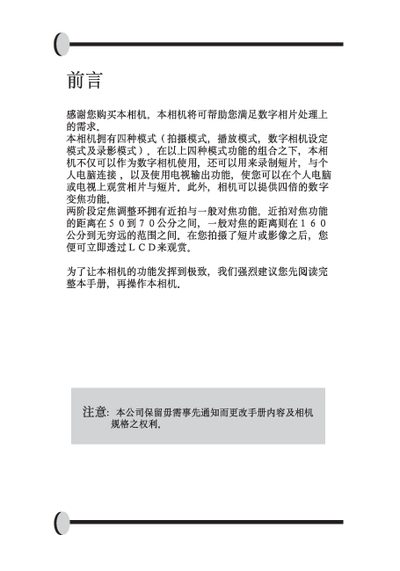
Camera User Manual
The manual describes the four shooting modes of the digital camera, including close‑up, portrait, landscape and video modes, and explains how to adjust focus distance, digital zoom and playback settings. It also covers basic functions such as date/time setting, automatic exposure, and LED indicators.
Additional sections explain the contents of the camera package, battery (AA) and storage options (SD card), LCD display usage, Mini USB connection, and safety warnings for proper handling. This manual is written in Chinese.
Covers: Shooting Modes · Focus Distance · Digital Zoom · Playback Settings · Date and Time · Packaging Contents
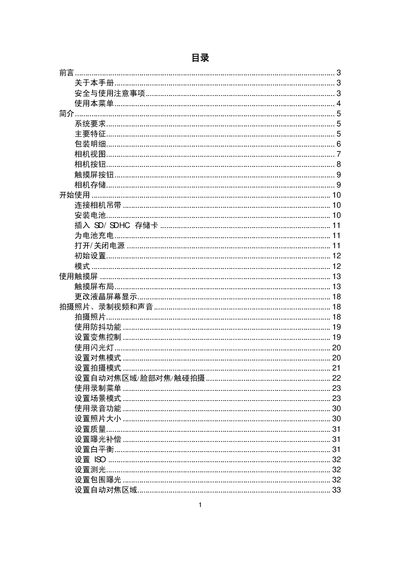
Sharp 12M Camera User Manual
This manual covers safety precautions, battery handling, and basic setup for the Sharp 12M digital camera. It explains how to install the battery, insert memory cards, and configure basic shooting modes.
Detailed sections describe advanced features such as optical zoom, auto‑focus, ISO settings, LCD operation, and video recording. The appendix includes technical specifications and a troubleshooting guide to resolve common issues. This manual is written in Chinese.
Covers: Safety Instructions · Battery Installation · Memory Card Compatibility · Operating Modes · Zoom and Focus · LCD and Playback
Latest 相机 manuals
camera Manual(8)
This manual introduces the basic operating methods of the camera, including loading batteries, attaching camera strap, loading film, turning on/off the switch, taking photos, taking videos, playing photos/videos, copying photos, deleting photos/videos, etc.
camera Manual(7)
This document explains how to use the camera for shooting in Aperture-Priority AE mode, and describes the features and operation of this mode.
camera senior Manual
This document provides detailed instructions on how to use the Canon A1 camera. It includes information on how to use advanced features such as the self-timer mode, eyepiece shutter, and multiple-exposure mode.
camera user guide(2)
This is a digital camera user manual, which introduces the composition, basic settings, shooting methods and other contents of the camera.
camera user guide(1)
This manual introduces the basic operations of the camera, including taking pictures, recording videos, recording sounds, playing, deleting photos or videos, protecting pictures, and DPOF printing.
camera user guide(1)(1)
This manual introduces the basic functions of the camera, including turning on and off, taking pictures, zooming, flash settings, playback, etc.
camera Manual(6)
This digital camera has three modes (Capture, Playback and Audio/Video mode) to take photos, record videos and audio. It features 6.36 million pixels, 4.8x optical zoom and 8x digital zoom, 32MB internal memory and can take macro, regular and far-distance pictures. Through USB cable connection, photos can be easily transferred from camera to computer. It also provides TV-output function to operate using TV.
camera Manual(5)
This document introduces the features and functions of a camera, including eight modes selection, 5.36 million pixels image, 32x zoom, internal storage, autofocus, USB transfer, etc.
Digital Camera User Manual
User Manual 26 pages · 7 MB · ZHUser manual for a digital camera with 3.23 MP sensor, optical and digital zoom, and USB connectivity.
Camera User Manual
User Manual 65 pages · 6.7 MB · ENThis camera user manual provides operating instructions, system requirements and key specifications for the device.
Camera User Manual
User Manual 36 pages · 10.3 MB · ZHThis user manual provides operating instructions and feature descriptions for a digital camera.
Sharp 12M Camera User Manual
User Manual 61 pages · 5.2 MB · ZHThe Sharp 12M camera user manual provides safety guidelines, operation instructions, specifications, and troubleshooting tips.
Camera User Manual
User Manual 59 pages · 4.7 MB · ZHUser manual for a digital camera covering safety, operation, and technical specifications.
Camera Quick Start Guide
Quick Start Guide 1 pages · 212 KB · ZHThis quick start guide shows how to install the protective cover and secure the camera with the supplied screws.
Camera User Manual
User Manual 59 pages · 4.7 MB · ZHThis user manual provides operating instructions, safety guidelines, and specifications for the camera.
Which document do I need?
User Manual
Day-to-day operation, settings and troubleshooting. Start here if the product is already set up.
Quick Start Guide
The shortest path to a working setup, usually only a few pages.
Questions answered in 相机 manuals
How do I turn the camera on and off?
Press the power button on the top of the camera to toggle power on or off.
What types of memory cards are supported?
The camera supports removable SD or MMC cards.
Which Windows operating systems are supported?
The camera works with Windows 98, Windows 98 SE, Windows 2000, Windows ME and Windows XP.
From: Camera User Manual
Which Macintosh operating systems are supported?
The camera works with Mac OS 9.0, 9.1, 9.2 and OS X.
From: Camera User Manual
What is the minimum focusing distance for close‑up shots?
The close‑up mode allows focusing from 0 to 70 cm.
From: Camera User Manual
How much digital zoom does the camera provide?
The camera can zoom up to four times digitally.
From: Camera User Manual