
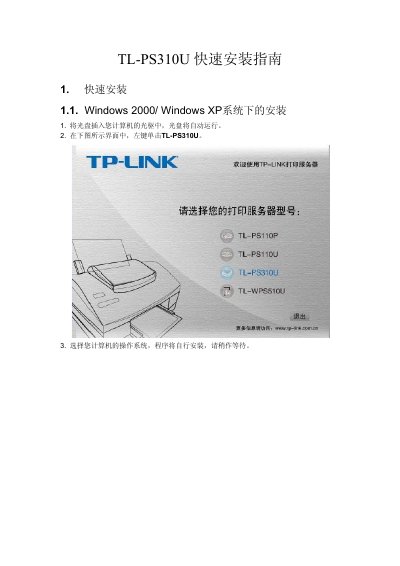
This document is a quick installation guide for the TP-Link TL-PS310U USB over IP Server. It provides step-by-step instructions for installing the client software on Windows 2000/XP systems and configuring the device within the local network. This manual is written in Chinese.
The IP address shown is 192.168.0.10.
The TL-PS310U supports up to 4 USB devices via a USB hub.
A green icon indicates the USB device is ready to connect.
Select the device and click 中断 to disconnect it.