
This manual describes the process of installing optional devices in IBM System x3200 4362 and 4363 servers.
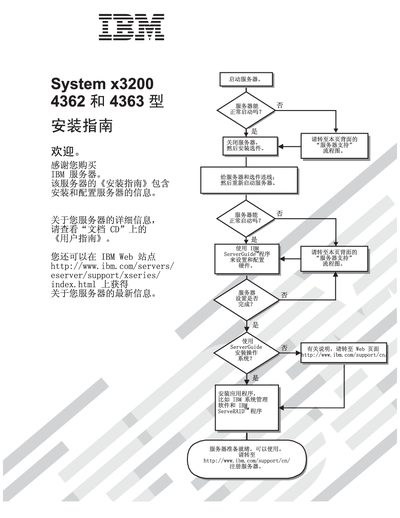
The guide introduces the IBM System x3200 4362 and 4363 servers, outlines safety information, and points users to the IBM support website for the latest documentation and firmware updates. It also references the accompanying User Guide on the documentation CD for detailed usage instructions.
The manual covers hardware installation, including optional devices, memory modules, drives, adapters, and cable connections, as well as configuration steps using the ServerGuidg utility, boot menu, and network controller settings. Troubleshooting procedures, diagnostic tools, and POST error codes are provided to help resolve common issues. This manual is written in Chinese.
| Model numbers | 4362, 4363 |
|---|
Download the latest firmware from the IBM website at http://www.ibm.com/servers/Support/xseries/index.html.
IBM support hotline details are available at http://www.ibm.com/support/cny.