
Key facts
- Manuals
- 12
- Languages
- EN · ZH
- Last added
- 2026-10-03
Featured ICT manuals
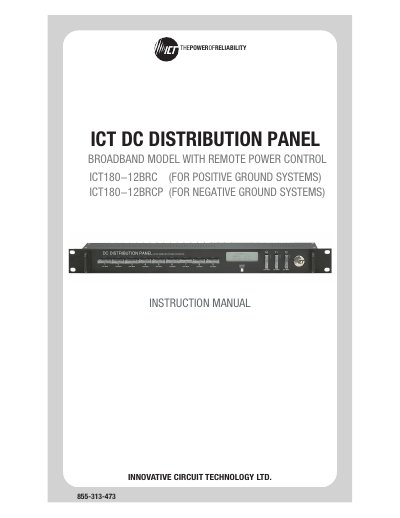
ICT ICT180-12BRC/ICT180-12BRCP Broadband Distribution Panel with Remote Power Control Instruction Manual
The ICT180-12BRC (positive‑ground) and ICT180-12BRCP (negative‑ground) broadband distribution panels provide twelve individually fused DC output positions, LCD status display, Ethernet‑based remote monitoring, and form‑C alarm contacts. The manual explains safety warnings, mechanical installation, wiring, fuse replacement, and grounding procedures.
The document also details the web‑based configuration utility, password reset, router configuration, text‑message alarm notifications, troubleshooting steps, and product specifications. A limited three‑year warranty is included at the end of the manual.
Covers: Warnings · Product Description · Installation · LCD/Select Button Operation · Web‑Based Configuration Utility · Network Setup
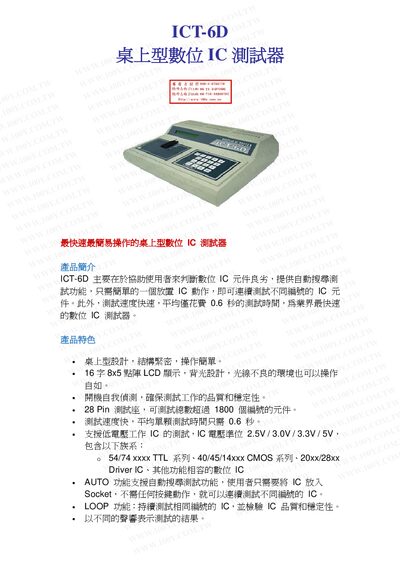
ICT-6D Digital IC Tester Product Specification
The ICT-6D digital IC tester is designed for fast, accurate evaluation of digital IC components. It features an auto‑search function that tests ICs without any button presses, a LOOP mode for continuous testing, and audible alerts to indicate results. The unit includes a 16‑character back‑lit LCD and a compact desktop design.
Key specifications include a 28‑pin test socket supporting over 1,800 part numbers, test voltages of 2.5 V, 3.0 V, 3.3 V and 5 V, and a rapid 0.6 second average test time per IC. The device operates from AC 110‑220 V, measures 33.5 cm × 30 cm × 10.5 cm, and weighs 1.25 kg. This manual is written in Chinese.
Covers: Product Overview · Features · Specifications · Standard Equipment · Dimensions and Weight · Power Requirements
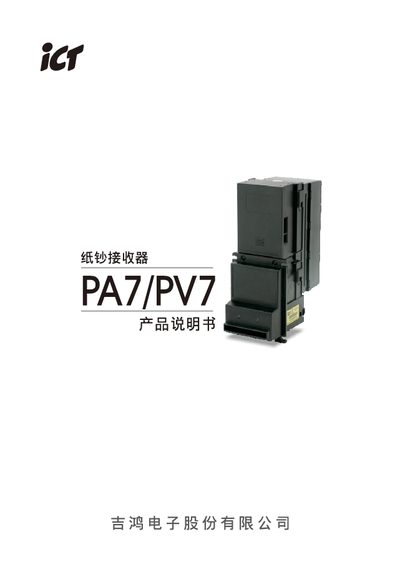
ICT PA7/PV7 Paper Currency Receiver Product Manual
This manual introduces the PA7/PV7 series paper currency receivers, highlighting their high acceptance rate (96% or higher) and four‑sided bill acceptance. It lists the main interfaces (Pulse, ICT Protocol, NISR, MDB, USB) and basic specifications such as power requirements and environmental limits.
The document includes detailed installation guidance, cable wiring tables, function‑setting procedures, software download and update steps, maintenance recommendations, and a troubleshooting section with LED fault codes for both the front panel and rear unit. This manual is written in Chinese.
Covers: Product Overview · Installation Guide · Cable Wiring · Function Setting · Software Download and Update · Maintenance and Care
Latest ICT manuals
ICT ICT180-12BRC/ICT180-12BRCP Broadband Distribution Panel with Remote Power Control Instruction Manual
User Manual 24 pages · 597 KB · ENInstruction manual for the ICT180-12BRC/ICT180-12BRCP broadband distribution panel with remote power control, covering installation, operation, and maintenance.
ICT-6D Digital IC Tester Product Specification
Product Leaflet 2 pages · 120 KB · ZHThe ICT-6D is a desktop digital IC tester that quickly evaluates ICs with auto‑search, loop testing, and supports multiple voltage levels.
ICT PA7/PV7 Paper Currency Receiver Product Manual
User Manual 34 pages · 3.9 MB · ZHThe ICT PA7/PV7 paper currency receiver manual provides product overview, installation, wiring, operation, and troubleshooting instructions.
ICT PEEL 16V8 5/7/-10/-15/-25 CMOS programmable electrically erasable logic
ICT PELL 16V8-15/-25 handbook
The PEEL16V8 is a Programmable Electrically Erasable Logic (PEEL) device providing an attractive alternative to ordinary PLDs. The PEEL16V8 offers the performance, flexibility, ease-of-design and production practicality needed by logic designers today. The PEEL16V8 is available in 20-pin DIP and PLCC packages with speeds ranging from 15ns to 25ns and power consumption less than 45mA. EE-reprogrammability provides the convenience of instant reprogramming for development and a reusable production inventory minimizing the impact of programming changes or errors. EE-reprogrammability also improves factory testability, thus ensuring the highest quality possible. The PEEL16V8 architecture allows it to replace standard 20-pin PAL devices. ICT’s PEEL16V8 can be programmed with any existing 16V8 JEDEC file. Some programmers also allow the PEEL16V8 to be programmed directly from PAL 16L8, 16R4, 16R6 and 16R8 JEDEC files. Additional development and programming support for the PEEL16V8 is provided by popular third-party programmers and development software. ICT also offers free PLACE development software and a low-cost development system (PDS-3).
ICT PEEL 16CV8-15/-25 handbook
ICT Docking Station Manual
This document is about the technical specifications of a product. It introduces the function and features of the product.
ICT ND100 Manual
ICT S6 series Manual
This white paper introduces Huawei's smart home products and solutions. Huawei smart home is based on Huawei HiLink platform, and integrates Huawei's own advantages and resources of ecosystem partners, to provide consumers with one-stop, intelligent smart home experience.
ICT A6/V6 Manual
Huawei MateBook X Pro 2022 was released: equipped with a 14.2-inch screen, 11th Gen i5 and i7 processors, with a starting price of 9499 yuan
iCT E77 Bill Acceptor Installation Guide
This white paper provides a comprehensive overview of the Lenovo ThinkPad X1 Carbon two-in-one tablet. The tablet features a 13.5-inch touchscreen display that provides excellent viewing experience. It also comes with a powerful processor and memory that allows you to easily handle various tasks. Furthermore, the tablet also features a long-lasting battery that lets you use it all day long.
ICT GP83 Manual
This document introduces the features of the product. It is a kind of high-performance product with high-speed transmission and high-precision positioning. The product is suitable for a variety of scenarios, such as industrial automation, medical equipment, and precision manufacturing.
Which document do I need?
User Manual
Day-to-day operation, settings and troubleshooting. Start here if the product is already set up.
Questions answered in ICT manuals
How can I reset the password on the panel?
Hold the Output Select button for 20 seconds on any screen to reset the password to its factory default.
What Ethernet cable should I use for remote monitoring?
Use a Cat5e UTP network cable for the Ethernet connection.
How fast does the ICT-6D test an IC?
It tests each IC in an average of 0.6 seconds.
What voltage levels can the ICT-6D test?
It supports test voltages of 2.5 V, 3.0 V, 3.3 V and 5 V DC.
What is the receiving rate of the PA7/PV7 receiver?
The device accepts 96% or more of bills, excluding dirty, wet, damaged, or overly folded notes.
What power supplies are required for the PA7 and PV7 models?
PA7 uses a 12 V DC supply up to 3 A, while PV7 uses a 34 V DC supply (24‑45 V range) up to 1.5 A, and both can operate from 117 VAC for certain functions.