
Key facts
- Manuals
- 4
- Languages
- EN
- Last added
- 2023-10-26
Featured MSA Safety manuals
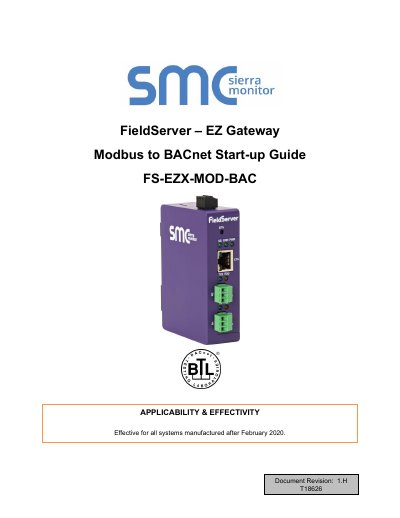
MSA Safety FS-EZX-MOD-BAC EZ Gateway Modbus to BACnet Start-up Guide
The EZ Gateway is a high-performance, cost-effective multi-protocol gateway providing protocol translation between serial and Ethernet, devices, and networks. It is cloud-ready and connects with MSA Safety's SMC Cloud. The document applies to all systems manufactured after February 2020.
Covers: About the EZ Gateway · Certification · Supplied Equipment · Installing the EZ Gateway · Connecting the R1 Port · Configuring the EZ Gateway
MSA Safety FS-8700-83 Gamewell Serial Driver Manual
The Gamewell Serial Driver allows the FieldServer to accept messages from Gamewell 600 Series Fire Alarm panels and Smartnet terminals. It processes these messages to store status information in numeric form within the FieldServer's Data Arrays. The driver acts as a passive client, listening for unsolicited messages and responding to supervision queries.
Covers: Description · Driver Scope of Supply · Hardware Connections · Data Array Parameters · Client Side Configuration · Server Side Configuration
MSA Safety 7200 Driver User Manual
This manual provides instructions for configuring and using the MSA Safety FCI 7200 Series System Control Unit driver with FieldServer. It details hardware connections, data array parameters, and client-side configuration. The driver is passive and does not poll or send commands to the SCU. Manual panel synchronization is required via reset. It supports firmware versions prior to 2.20 and 3-line messages from 2.20 onward, requiring a 20-character System ID for 3-line messages.
Covers: Description · Driver Scope of Supply · Hardware Connections · Data Array Parameters · Client Side Configuration · Useful Features
MSA Safety CEI-ABI Driver User Manual
This manual describes the CEI-ABI driver for MSA Safety's FieldServer, enabling data transfer to and from EN.54 fire alarm exchanges via RS-232 or RS-485. It covers hardware connections, configuration parameters, and data array setup. The driver supports 80 zones and 16 loops, with point and zone mapping, event handling, and data tap functionality. Configuration includes alignment modes for zones, loops, and analogs, followed by normal polling for event data.
Covers: Description · Driver Scope of Supply · Hardware Connections · Data Array Parameters · Client Side Configuration · Server Side Configuration
Latest MSA Safety manuals
MSA Safety FS-EZX-MOD-BAC EZ Gateway Modbus to BACnet Start-up Guide
User Manual 49 pages · 2.6 MB · ENThis start-up guide covers the installation, configuration, and commissioning of the MSA Safety FS-EZX-MOD-BAC EZ Gateway for Modbus to BACnet protocol…
MSA Safety FS-8700-83 Gamewell Serial Driver Manual
User Manual 22 pages · 727 KB · ENThis manual describes the configuration and operation of the MSA Safety FS-8700-83 Gamewell Serial Driver for FieldServer systems.
MSA Safety 7200 Driver User Manual
User Manual 16 pages · 617 KB · ENUser manual for MSA Safety's FCI 7200 Series SCU driver, covering hardware connections, configuration, and event handling.
MSA Safety CEI-ABI Driver User Manual
User Manual 21 pages · 693 KB · ENUser manual for MSA Safety's CEI-ABI protocol driver for EN.54 exchanges over RS-232 or RS-485.
Which document do I need?
User Manual
Day-to-day operation, settings and troubleshooting. Start here if the product is already set up.
Questions answered in MSA Safety manuals
What is the effective date for this guide?
This guide is effective for all systems manufactured after February 2020.
From: MSA Safety FS-EZX-MOD-BAC EZ Gateway Modbus to BACnet Start-up Guide
How do I enable the Bias Resistors?
To enable Bias Resistors, move both the BIAS- and BIAS+ dip switches to the right.
From: MSA Safety FS-EZX-MOD-BAC EZ Gateway Modbus to BACnet Start-up Guide
What hardware is required for the Gamewell Serial Driver?
A Gamewell Panel with SIM232 interface is required.
Can the driver support Gamewell Smartnet terminals?
Yes, the driver accepts 'Smartnet Data Stream' messages generated by a Gamewell Smartnet terminal.
Can this driver send commands to the SCU?
No, the driver cannot send data or commands to the SCU. It only processes received messages.
How do I synchronize the FieldServer with the panel?
Manual synchronization is required. Push the reset button on the panel to transmit a reset message, which clears the FieldServer data and triggers re-synchronization.