
Key facts
- Manuals
- 6
- Languages
- EN
- Last added
- 2023-10-17
Featured Esko-Graphics manuals
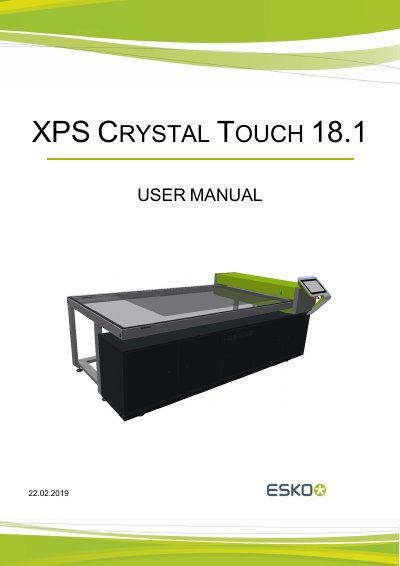
Esko-Graphics XPS Crystal Touch 18.1 Operating Manual
The XPS Crystal Touch 18.1 is a touch-sensitive screen software designed for plate processing. This operating manual details the procedures for starting and stopping UV exposure, managing plate types, and adjusting system settings such as language, date/time, and measurement units. It also explains how to update the plate list database and back up critical data to a USB stick.
Covers: Operation of the XPS Crystal Touch Software · Start UV exposure · Stop UV exposure · Add new plate types · Delete plate type · Change desired relief
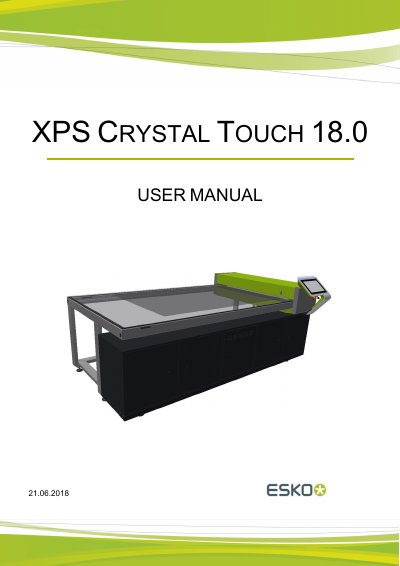
Esko-Graphics XPS Crystal Touch 18.0 Operating Manual
The XPS Crystal Touch 18.0 is a software application designed for a touch-sensitive screen, primarily used to control UV exposure processes. The manual details how to start and stop exposure, manage plate types, and adjust relief settings directly through the interface.
Covers: Operation of the XPS Crystal Touch Software · Start UV exposure · Stop UV exposure · Add new plate types · Delete plate type · Change desired relief
Esko-Graphics Crystal Touch 18.2 User Interface User Manual
The CDI Crystal Touch 18.2 is a touch-sensitive software interface used to start jobs and perform simple tasks such as focus searches and Pixel+ exposure tests on Esko-Graphics UV exposer machines. The interface displays current and pending jobs, allowing users to control the laser position, vacuum settings, and plate loading/unloading processes directly from the screen.
Covers: Introduction · The user interface · Machine status display · Options · Changing basic settings · Adjusting the date and time
Esko-Graphics CDI Crystal Touch 18.1 User Manual
The CDI Crystal Touch 18.1 is a touch-sensitive software interface designed to start exposure jobs and perform simple tasks such as focus searches and Pixel+ exposure tests. While queuing new jobs and changing plate parameters are handled by external systems like PlatePrep or Digital Flexo Suite, this interface allows users to control the laser position, vacuum functions, and job execution directly.
The manual details how to navigate the main "Expose" view, manage job lists, and utilize buttons for loading plates, starting exposures, and pausing operations. It also explains how to access machine status displays, adjust basic settings like language and units, and perform advanced calibration procedures such as the Pixel-Boost focus search.
Covers: Introduction · The USE? interface · Machine status display · Options · Changing basic settings · Adjusting the date and time
Latest Esko-Graphics manuals
Esko-Graphics XPS Crystal Touch 18.1 Operating Manual
User Manual 25 pages · 2 MB · ENThis manual provides operating instructions for the XPS Crystal Touch 18.1 software, covering UV exposure, plate management, settings, and data backup.
Esko-Graphics XPS Crystal Touch 18.0 Operating Manual
User Manual 21 pages · 1.8 MB · ENThis operating manual provides instructions for using the XPS Crystal Touch 18.0 software, including UV exposure control, plate management, and system settings.
Esko-Graphics Crystal Touch 18.2 User Interface User Manual
User Manual 13 pages · 929 KB · ENThis manual provides operating instructions for the CDI Crystal Touch 18.2 user interface, covering job management, focus search procedures, and parameter…
Esko-Graphics CDI Crystal Touch 18.1 User Manual
User Manual 13 pages · 1.1 MB · ENThis manual provides operating instructions for the Esko-Graphics CDI Crystal Touch 18.1 user interface, covering job management, focus search, and…
Esko-Graphics XPS Crystal Touch 16.1 User Manual
User Manual 18 pages · 1.6 MB · ENThis user manual provides instructions for operating the XPS Crystal Touch 16.1 software, including UV exposure control, plate management, and system…
Esko-Graphics XPS Crystal Touch 16.0 User Manual
User Manual 18 pages · 1.5 MB · ENThis user manual provides instructions for operating the XPS Crystal Touch 16.0 software, including UV exposure control, plate type management, and system…
Which document do I need?
User Manual
Day-to-day operation, settings and troubleshooting. Start here if the product is already set up.
Questions answered in Esko-Graphics manuals
What type of screen does the XPS Crystal Touch 18.1 software use?
The software is designed for a touch-sensitive screen.
What must be done to confirm the removal of a plate after exposure?
The removal of the plate from the XPS Crystal must be confirmed.
What type of screen does this software require?
The software is designed for a touch-sensitive screen.
How long can the UV exposure take to complete?
The remaining time is shown in the progress display, and the end of the exposure is shown when it finishes.
What is the purpose of the 'Step-Test' function?
The Step Test generates a test job to determine the optimal Pixel+ parameters by producing an image with different Pixel Boost values.
From: Esko-Graphics Crystal Touch 18.2 User Interface User Manual
What is the CDI Crystal Touch 18.2?
It is a new user interface for touch-sensitive screens used to start jobs and perform tasks like focus search.
From: Esko-Graphics Crystal Touch 18.2 User Interface User Manual