
Key facts
- Manuals
- 8
- Languages
- EN
- Last added
- 2023-10-18
Featured Eberle Design Inc. manuals
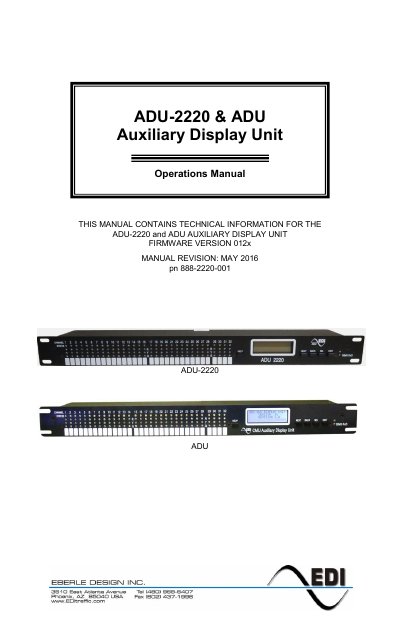
Eberle Design ADU-2220 and ADU Auxiliary Display Unit Operations Manual
This manual provides detailed instructions for operating the ADU-2220 and ADU auxiliary display units, including front panel controls, menu navigation, and diagnostic tools. It covers how to use the context-sensitive help system and the built-in Diagnostic Wizard to troubleshoot faults. The units are designed for mounting in 1U rack space and are compatible with specific cabinet monitor units. The manual also includes specifications for power, communication, and environmental conditions.
The display features LED indicators for channel status and an LCD screen for detailed status and menu navigation. Buttons for navigation, selection, and help are explained, along with troubleshooting steps for power and serial bus issues.
Covers: General Overview · Front Panel Description · Menu Operation · Diagnostic Wizard · Troubleshooting · Specifications
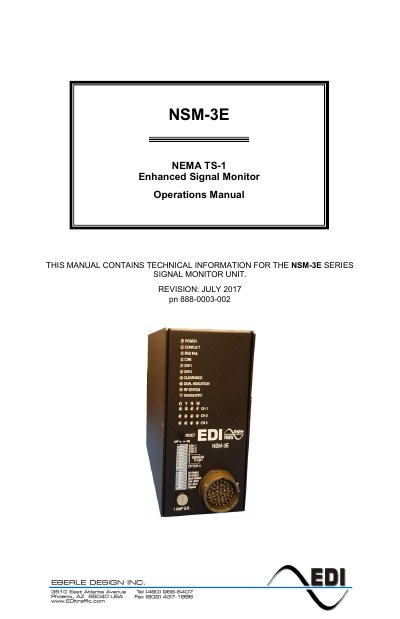
Eberle Design Inc. NSM-3E Series Signal Monitor Operations Manual
The NSM-3E Series Signal Monitor is a device used in traffic controller assemblies to monitor traffic signals at an intersection for conflicting proceed indications or the absence of voltage on all field signal outputs. It meets or exceeds NEMA TS-1 specifications and is directly interchangeable with a standard NEMA 3-channel Signal Monitor.
The manual details the monitor's standard functions, including conflict monitoring, red failure monitoring, and voltage monitoring for +24VDC supplies and controller outputs. It also covers extended features such as dual indication monitoring, clearance monitoring, and LEDguard sensing, along with installation instructions and front panel descriptions.
Covers: Standard Functions · Conflict Monitoring · Red Failure Monitoring · Voltage Monitoring · Extended Features · Installation
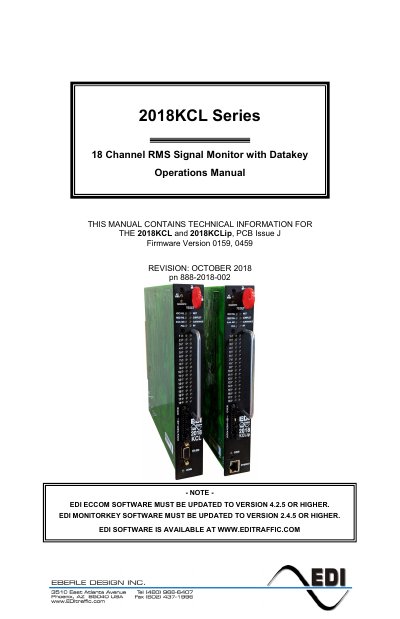
Eberle Design Inc. 2018KCL Series 18 Channel RMS Signal Monitor Operations Manual
This manual provides detailed instructions for operating and configuring the 2018KCL Series 18 Channel RMS Signal Monitor, designed and manufactured by Eberle Design Inc. It covers basic and extended monitoring functions, installation, front panel controls, circuit operation, and troubleshooting. The unit monitors traffic signals for conflicts, 24VDC supply, and controller watchdog status, and features a Datakey for electronic configuration. It is compatible with 170 Controller Units and 2070 Advanced Traffic Controllers, and includes Ethernet or EIA-232 communication options.
The manual includes wiring assignments, fault event logging, and diagnostic modes. It also contains safety warnings, such as unplugging the P8 red interface cable before removing the unit, and notes on software compatibility (EDI ECCOM and MonitorKey software versions 4.2.5 and 2.4.5 or higher).
Covers: Basic Functions · Extended Features · Event Logging Features · Installation · Front Panel Description · Circuit Operation
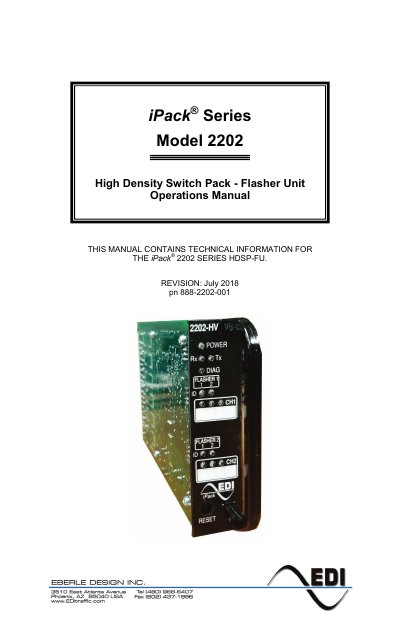
Eberle Design iPack® 2202 SERIES HDSP-FU Operations Manual
This document provides operational instructions for the iPack® 2202 Series High Density Switch Pack — Flasher Unit (HDSP-FU), a modular PCB-based load switch device. It details voltage and current sensing, output override, diagnostic error handling, and serial bus communication. The unit supports both HDSP and HDFU modes and is designed for use in Advanced Transportation Controller (ATC) cabinets. Specifications include electrical, mechanical, and environmental parameters for proper installation and operation.
Covers: General · HDSP Functions · Front Panel Description · Specifications · Connector Assignments
Latest Eberle Design Inc. manuals
Eberle Design ADU-2220 and ADU Auxiliary Display Unit Operations Manual
User Manual 11 pages · 507 KB · ENUser manual for Eberle Design's ADU-2220 and ADU auxiliary display units, covering operation, menu navigation, diagnostics, and troubleshooting.
Eberle Design Inc. NSM-3E Series Signal Monitor Operations Manual
User Manual 16 pages · 475 KB · ENOperations manual for the Eberle Design Inc. NSM-3E Series Signal Monitor, covering standard functions, extended features, installation, and specifications.
Eberle Design Inc. 2018KCL Series 18 Channel RMS Signal Monitor Operations Manual
User Manual 42 pages · 559 KB · ENOperations manual for Eberle Design Inc.'s 2018KCL Series 18 Channel RMS Signal Monitor with Datakey programming and fault monitoring features.
Eberle Design iPack® 2202 SERIES HDSP-FU Operations Manual
User Manual 12 pages · 913 KB · ENOperations manual for Eberle Design's iPack® 2202 High Density Switch Pack — Flasher Unit, covering functions, addressing, and specifications.
Eberle Design Inc. CALTRANS MODEL 210 SERIES RMS Signal Monitor Operations Manual
User Manual 37 pages · 3.5 MB · ENOperations manual for Eberle Design Inc.'s CALTRANS MODEL 210 SERIES RMS Signal Monitor, covering installation, operation, and maintenance.
Eberle Design Inc. 210E - 210ECL - 2010ECL - 2018ECL RMS Signal Monitor Operations Manual
User Manual 44 pages · 1.3 MB · ENOperations manual for Eberle Design Inc.'s RMS signal monitors, covering installation, fault detection, and configuration for traffic control systems.
Eberle Design Inc. EDI Signal Monitors Ethernet Port Quick Start Manual
User Manual 13 pages · 682 KB · ENThis manual provides technical instructions for configuring the Ethernet port of EDI signal monitors using the ECcom software or a web browser.
MMU2-16LE and MMU2-16LEip SmartMonitor® SERIES MALFUNCTION MANAGEMENT UNIT Operations Manual
User Manual 62 pages · 1.8 MB · ENOperations manual for the Eberle Design MMU2-16LE and MMU2-16LEip SmartMonitor Series Malfunction Management Units, covering installation, configuration…
Which document do I need?
User Manual
Day-to-day operation, settings and troubleshooting. Start here if the product is already set up.
Questions answered in Eberle Design Inc. manuals
What is the purpose of the Diagnostic Wizard?
The Diagnostic Wizard provides detailed diagnostic information regarding the fault being analyzed, including a concise view of signal states, pinpointing faulty signal inputs, and guidance on isolating the cause of the malfunction.
From: Eberle Design ADU-2220 and ADU Auxiliary Display Unit Operations Manual
How do I test the front panel indicators?
The monitor will illuminate all front panel LED and LCD indicators for 500ms when a Reset command is issued by the front panel RESET button or EXTERNAL RESET input of the CMU.
From: Eberle Design ADU-2220 and ADU Auxiliary Display Unit Operations Manual
What happens when the NSM-3E detects a conflict fault?
The monitor enters the fault mode, de-energizes the Output relay contacts to the Fault position, and illuminates the CONFLICT indicator.
From: Eberle Design Inc. NSM-3E Series Signal Monitor Operations Manual
How is the Red Failure Monitoring function disabled?
Red Failure Monitoring is disabled when the Red Enable input is not active.
From: Eberle Design Inc. NSM-3E Series Signal Monitor Operations Manual
What software versions are required for the 2018KCL?
EDI ECCOM software must be updated to version 4.2.5 or higher, and EDI MonitorKey software must be updated to version 2.4.5 or higher.
From: Eberle Design Inc. 2018KCL Series 18 Channel RMS Signal Monitor Operations Manual
What is the Datakey used for?
The Datakey replaces mechanical jumpers, DIP switches, and diode-based program cards for electronic configuration of the unit.
From: Eberle Design Inc. 2018KCL Series 18 Channel RMS Signal Monitor Operations Manual