
Key facts
- Manuals
- 6
- Models
- 1
- Languages
- EN
- Last added
- 2023-10-21
Sierra Instruments models by category
Featured Sierra Instruments manuals
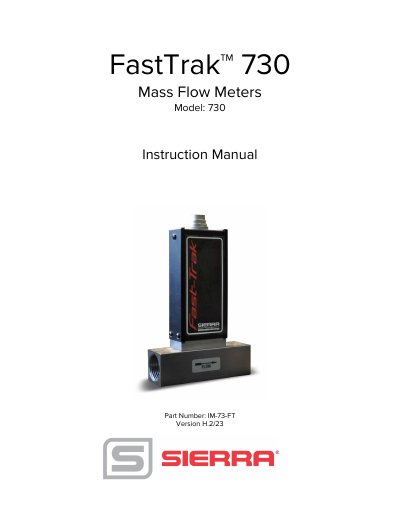
Sierra Instruments FastTrak™ 730 Mass Flow Meters Instruction Manual
This manual provides installation and operational guidance for Sierra Instruments' FastTrak™ 730 mass flow meters. It includes safety warnings, wiring instructions for NEMA 2 enclosures, and troubleshooting steps. The meters measure mass flow of non-corrosive gases with a 200 ms response time, available in pipe sizes 1/4 to 3/4 inch. Users must ensure proper installation, pressure and temperature limits, and follow safety precautions to avoid damage or injury.
Covers: Introduction · Installation · Wiring Connections-NEMA 2 CE Enclosures · Output Signal Wiring · Troubleshooting the Flow Meter · Appendix A | Product Specifications
Sierra Innova-Sonic® Model 210 Portable IM-210 Rev. G Manual
This manual provides step-by-step instructions for installing, operating, and calibrating the Sierra Instruments Innova-Sonic® Model 210 portable ultrasonic flow meter. It covers power connections, transducer mounting, menu navigation, data acquisition, and error diagnostics. The device supports Bluetooth communication and includes software for data analysis and printing. It also includes appendices with fluid and pipe material data for reference.
Covers: Transmitter Installation and Connection · Pipe Parameter Entry Shortcuts · Measurement Site Selection · Transducer Installation · Operating Instructions · Windows Display Explanations
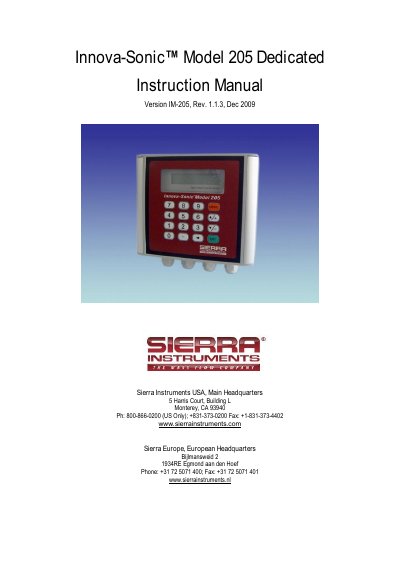
Sierra Instruments Innova-Sonic Model 205 Instruction Manual
The document is a dedicated instruction manual for the Sierra Instruments Innova-Sonic Model 205 high-performance liquid flowmeter. It covers product components inspection, transmitter installation methods (direct mount and wiring), and powering on procedures.
The guide details keypad functions and operation, including how to navigate over 100 independent windows using menu codes or scroll keys. It explains pipe parameter entry shortcuts, transducer installation methods (V, Z, N, W), signal quality checks, and system calibration steps such as zero set and scale factor adjustment.
Covers: Transmitter Installation · Power Supply Connecting · Keypad Functions · Pipe Parameter Entry · Transducer Installation · Operating Instructions
Sierra Instruments Innova-Sonic Model 205 Instruction Manual
This manual provides comprehensive instructions for the Sierra Instruments Innova-Sonic Model 205 Dedicated Transit-Time Ultrasonic Flow Meter. It covers installation procedures, including inspection, power supply connection, and transducer mounting methods such as V, Z, N, and W methods. The document also details keypad functions, window descriptions, and system calibration steps like zero set and scale factor adjustment.
The guide includes sections on operating instructions, error diagnoses, and product overview. It explains the theory of operation, common applications, and technical specifications. Additionally, it provides information on using the SD card for data logging, serial interface communications, and thermal energy metering functions.
Covers: Transmitter Installation · Power Supply Connecting · Keypad Functions · Transducer Installation · Measurement Site Selection · Operating Instructions
Latest Sierra Instruments manuals
Sierra Instruments FastTrak™ 730 Mass Flow Meters Instruction Manual
User Manual 16 pages · 1.9 MB · ENInstruction manual for Sierra Instruments' FastTrak™ 730 mass flow meters, covering installation, wiring, and troubleshooting.
Sierra Innova-Sonic® Model 210 Portable IM-210 Rev. G Manual
User Manual 85 pages · 1.1 MB · ENUser manual for Sierra Instruments' portable ultrasonic flow meter, covering installation, operation, calibration, and troubleshooting.
Sierra Instruments Innova-Sonic Model 205 Instruction Manual
User Manual 68 pages · 722 KB · ENThis manual provides installation, connection, calibration, operation, and maintenance instructions for the Sierra Instruments Innova-Sonic Model 205…
Sierra Instruments Innova-Sonic Model 205 Instruction Manual
User Manual 64 pages · 769 KB · ENInstruction manual for the Sierra Instruments Innova-Sonic Model 205 Dedicated Transit-Time Ultrasonic Flow Meter, covering installation, operation, and…
Sierra Instruments Innova-Switch Model 215 Operation Manual
User Manual 41 pages · 2.4 MB · ENOperation and maintenance manual for the Sierra Instruments Innova-Switch Model 215 Mass Flow/Level Switch, covering installation, calibration, and…
Sierra Instruments Innova-Sonic Model 203 Economical Ultrasonic Flow Meter Instruction Manual
User Manual 46 pages · 982 KB · ENThis manual provides installation, wiring, operation, and troubleshooting instructions for the Sierra Instruments Innova-Sonic Model 203 Economical…
Which document do I need?
User Manual
Day-to-day operation, settings and troubleshooting. Start here if the product is already set up.
Questions answered in Sierra Instruments manuals
What is the flow range of the FastTrak™ 730?
The meters monitor the mass flow rate of air and process gases in ranges from 0 to 25 scfm (0 to 700 slpm).
From: Sierra Instruments FastTrak™ 730 Mass Flow Meters Instruction Manual
What output signals are supported?
The flow meters support 0–5 VDC, 0–10 VDC, or 4–20 mA output signals.
From: Sierra Instruments FastTrak™ 730 Mass Flow Meters Instruction Manual
How do I power on the flowmeter?
As soon as the Flowmeter is switched on, the self-diagnosis program will start to run. Normal operation is indicated by code “*R” on the upper left corner of the screen.
From: Sierra Innova-Sonic® Model 210 Portable IM-210 Rev. G Manual
What does the keypad do?
The keypad allows navigation through menus using 2-digit menu IDs, entering numerical values, and using shortcut keys for functions like flow, velocity, and signal.
From: Sierra Innova-Sonic® Model 210 Portable IM-210 Rev. G Manual
What is the standard factory power supply voltage?
The factory standard power supply is 90~245 VAC.
From: Sierra Instruments Innova-Sonic Model 205 Instruction Manual
Can the flowmeter be powered by DC?
Yes, transmitters can also be powered by a 10-36VDC supply.
From: Sierra Instruments Innova-Sonic Model 205 Instruction Manual