
Key facts
- Manuals
- 10
- Languages
- EN · ES · ZH
- Last added
- 2023-10-19
Featured Motorola solutions manuals
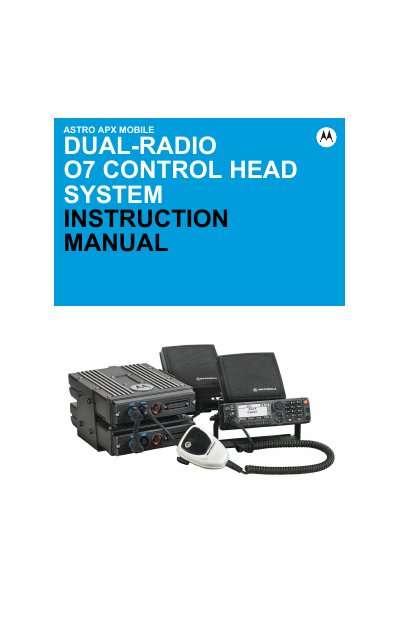
Motorola Solutions APX Mobile Dual-Radio O7 Control Head System Instruction Manual
This manual provides step-by-step instructions for installing, configuring, operating, and troubleshooting the ASTRO® APX Mobile Dual-Radio with O7 Control Head System. It covers setup, operation, programming, and troubleshooting procedures. The system supports dual-radio functionality with an O7 control head, including features like radio swap, PTT operation, emergency mode, and cross-band mute. Installation details include cabling, mounting, and antenna placement. The manual also includes sections on converting systems to single-radio or other configurations, and compatibility with specific hardware and software.
Covers: Introduction · APX Mobile Dual-Radio Operation · Codeplug Configuration · Troubleshooting · APX Dual-Radio Installation · Other Configurations
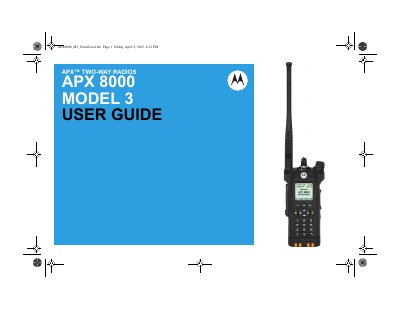
Motorola Solutions APX 8000 Model 3 Digital Portable Radio User Guide
The document serves as a comprehensive user manual for the ASTRO APX 8000 Series Digital Portable Radios, specifically focusing on the Model 3. It covers essential safety guidelines regarding RF energy exposure and product usage before operation begins.
The guide details how to identify radio controls, including buttons, knobs, and indicators such as the Emergency button, PTT, and various status LEDs. It provides step-by-step instructions for basic operations like turning the device on/off, adjusting volume, selecting zones and channels, and making calls.
Covers: Important Safety Information · Getting Started · Identifying Radio Controls · General Radio Operation · Emergency Operation · Text Messaging Service (TMS)
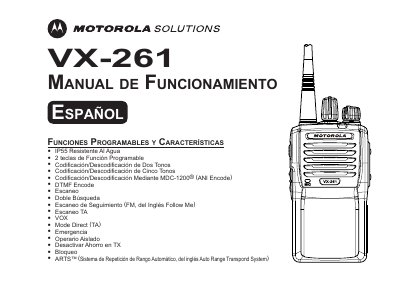
Motorola Solutions VX-261 Two-Way Radio User Manual
The Motorola Solutions VX-261 is an analog/digital handheld transceiver designed for business communications over VHF/UHF land mobile radio bands. It supports up to 16 channels and features programmable functions such as dual-tone and five-tone encoding, scanning, and VOX. The device is built to be water-resistant (IP55) and reliable for professional use.
This manual provides instructions on safety precautions, battery installation and charging, belt clip adjustment, and the use of optional accessories like the CD-58 desktop charger. It also details advanced operational functions and explains how to program the radio using specific Motorola Solutions interfaces. This manual is written in Spanish.
Covers: Introducción · Información importante sobre seguridad · Antes de comenzar · Instalación y extracción de la batería · Carga de la batería · Indicador de nivel de batería bajo
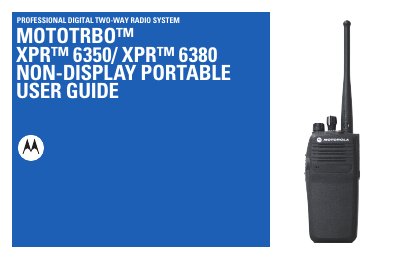
Motorola XPR6350/XPR6380 Non-display Portable User Guide
The document serves as a comprehensive user guide for the MOTOTRBO XPR Series Digital Portable Radios, specifically models XPR 6350 and XPR 6380. It covers essential topics including getting started with hardware setup, powering up the device, and identifying controls.
Detailed instructions are provided for making various types of calls (radio, group, private, phone), utilizing monitoring features like scan lists, and accessing advanced functions such as emergency operation, text messaging, and lone worker alerts. The guide also includes information on accessories and safety precautions.
Covers: Getting Started · Radio Controls · Receiving and Making Calls · Monitoring Features · Advanced Features · Emergency Operation
Latest Motorola solutions manuals
Motorola Solutions APX Mobile Dual-Radio O7 Control Head System Instruction Manual
User Manual 44 pages · 3.7 MB · ENInstruction manual for installing, configuring, operating, and troubleshooting the Motorola APX Mobile Dual-Radio O7 Control Head System.
Motorola Solutions APX 8000 Model 3 Digital Portable Radio User Guide
User Manual 202 pages · 5.3 MB · ENThis user guide provides operating instructions, safety information, and feature settings for the Motorola Solutions APX 8000 Model 3 digital portable radio.
Motorola Solutions VX-261 Two-Way Radio User Manual
User Manual 24 pages · 3.7 MB · ESThis Spanish user manual covers the operation, safety, and maintenance of the Motorola Solutions VX-261 two-way radio, including battery charging and…
Motorola XPR6350/XPR6380 Non-display Portable User Guide
User Manual 60 pages · 9 MB · ENThis user guide provides operating instructions for the Motorola Solutions MOTOTRBO XPR 6350 and XPR 6380 non-display portable digital two-way radios.
Motorola Solutions APX 4000 Model 3 Two-Way Radio User Guide
User Manual 203 pages · 6.8 MB · ENThis user guide covers the operation, programming, and advanced features of the Motorola Solutions APX 4000 Model 3 digital portable radio.
Motorola Solutions DLR1060 Non-Keypad Portable Radio User Guide
User Manual 88 pages · 8.6 MB · ENThis user guide covers safety, operation, maintenance, and configuration for the Motorola Solutions DLR1060 non-keypad portable two-way radio.
Motorola Solutions VT100 Body-Worn Camera Quick Start Guide
Quick Start Guide 19 pages · 730 KB · ENThis guide covers the setup, charging, operation, and wearing options for the Motorola Solutions VT100 body-worn camera.
Motorola XTS 5000 Series Radios User's Manual
User Manual 105 pages · 3.7 MB · ENThis manual provides operating instructions, safety information, and care guidelines for the Motorola Solutions APX 8000XE portable two-way radio.
Motorola ES400 Mobile Computer User Guide
User Manual 210 pages · 17.6 MB · ZHThis is the user guide for the Motorola ES400 mobile computer, covering setup, operation, and maintenance instructions.
MOTOTRBO XiR P8608 EX Non-Display Portable Radio User Manual
User Manual 48 pages · 4.1 MB · ZHThis manual provides operating instructions, safety information, and setup guides for the MOTOTRBO XiR P8608 EX non-display portable digital radio.
Which document do I need?
User Manual
Day-to-day operation, settings and troubleshooting. Start here if the product is already set up.
Quick Start Guide
The shortest path to a working setup, usually only a few pages.
Questions answered in Motorola solutions manuals
What is the APX Mobile Dual-Radio O7 Control Head System?
The APX Mobile Dual-Radio O7 Control Head System is a dual-radio system that allows operation of two radios with a single O7 control head.
From: Motorola Solutions APX Mobile Dual-Radio O7 Control Head System Instruction Manual
What are the installation considerations for the APX Dual-Radio?
Installation considerations include proper antenna mounting, avoiding lip-mounted antennas, ensuring adequate ground plane distance between antennas, and using appropriate cables for power, ground, ignition, and accessory connections.
From: Motorola Solutions APX Mobile Dual-Radio O7 Control Head System Instruction Manual
Is this radio restricted to specific usage?
Yes, the radio is restricted to Occupational use only.
From: Motorola Solutions APX 8000 Model 3 Digital Portable Radio User Guide
What is the default timer for activating an Emergency alarm?
The default timer is 50 milliseconds.
From: Motorola Solutions APX 8000 Model 3 Digital Portable Radio User Guide
What is the recommended charging temperature range for the battery?
The ambient temperature for charging the batteries must be between +5 °C and 40 °C.
Can the user replace the internal radio parts?
No, none of the parts inside the radio are designed for user replacement; all maintenance must be performed by an authorized Motorola Solutions service.