
Motorola Solutions VT100 Body-Worn Camera Quick Start Guide

This is a user manual that introduces how to use the VT100 wearable camera
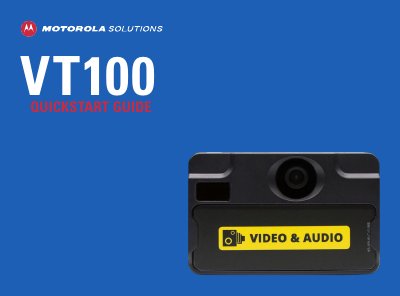

Motorola Solutions VT100 Body-Worn Camera Quick Start Guide - cover page
Brand
Motorola solutions
Category
Other Electronics
Document type
Quick Start Guide
Language
English
Pages
19
File format
PDF
File size
730 KB
Published
16 October, 2023
Updated
16 October, 2023
MD5 checksum
36C92F4C7F8E519C716C3BD5D72B075C

About this manual

The Motorola Solutions VT100 is a body-worn camera designed to function on standby for up to six months, requiring a full charge before first use. The device features a Micro USB port for charging via a cable or docking station and includes a slot for a custom ID card. It records automatically upon power-up and supports live streaming if configured by an administrator.

What's inside

  • Introduction
  • How to Charge Your VT100
  • How to Power Up Your VT100
  • How to Stop Recording
  • Wearing Your VT100
  • Rotatable Long Alligator Clip
  • Klick Fast Stud
  • Sports Camera Pillar
  • Epaulette (Shoulder) Clip
  • Lanyards

Specifications

Standby Timeup to six months
Charging PortMicro USB Port
Power Button Locationback of the device

Frequently asked questions

How do I charge the VT100?

You can charge the device using a USB charging cable or the VT100 docking stations.

How do I stop recording?

Press and hold either of the buttons on the back of your device for one second.

How do I power up the device?

Press either of the two buttons on the back of the device to start recording.

Download PDF (730 KB)

More Motorola solutions Manuals


View all Motorola solutions manuals →