
Key facts
- Brand
- XMT
- Model
- XMT 9007-8
- Industry
- Industrial
- Documents
- 2
- Languages
- ZH
- Last added
- 2012-03-28
Start here
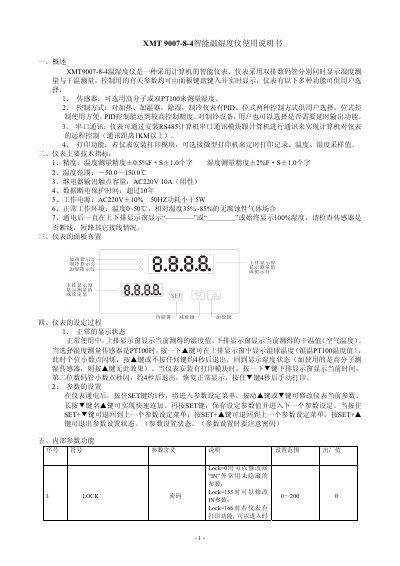
XMT 9007-8-4 Intelligent Temperature and Humidity Instrument User Manual
The XMT 9007-8-4 is an intelligent temperature‑humidity instrument that displays humidity and dry‑temperature simultaneously on dual 7‑segment displays. It supports high‑polymer or dual PT100 sensors, offers PID or positional control for heating, humidifying, dehumidifying and cooling, and can communicate via an RS485 serial module for remote computer control.
The manual describes the panel layout, how to enter the parameter setting menu, detailed internal parameters, control logic, model designation codes, terminal wiring, safety precautions, and a specific method for using dual PT100 sensors to measure humidity. This manual is written in Chinese.
XMT 9007-8 specifications
| Temperature measurement accuracy | ±0.5%F·S±1.0 |
|---|---|
| Humidity measurement accuracy | ±2%F·S±1.0 |
| Temperature range | -50.0~150.0 ℃ |
| Relay output contact capacity | AC220V 10A (resistive) |
| Data power‑off protection time | over 10 years |
| Power supply | AC220V ±10% 50 Hz |
| Power consumption | <5 W |
| Normal operating environment | 0~50 ℃, 35%~85% RH, non‑corrosive gases |
Source: XMT 9007-8-4 Intelligent Temperature and Humidity Instrument User Manual
All XMT 9007-8 documents by type
Day-to-day operation, settings and troubleshooting. Start here if the product is already set up.
Questions answered in these manuals
How do I enter the parameter setting menu on the XMT 9007-8-4?
Press and hold the SET key for about 1 second to enter the parameter setting menu, then use the ▲/▼ keys to modify values and press SET again to save.
From: XMT 9007-8-4 Intelligent Temperature and Humidity Instrument User Manual
What control modes are available for heating, humidifying, dehumidifying and cooling?
Both PID control and positional (位式) control are offered for all four functions, allowing the user to choose the preferred method.
From: XMT 9007-8-4 Intelligent Temperature and Humidity Instrument User Manual
How do I manually print a record?
Press and hold the ▼ key for about 4 seconds to trigger a manual print when a printing module is installed.
From: XMT 9007-8 Intelligent Temperature and Humidity Meter User Manual
How can I enter the parameter setting menu?
Hold the SET key for about 1 second after power‑on; the parameter setting menu appears, and you can use the ▲/▼ keys to modify values, then press SET to save.
From: XMT 9007-8 Intelligent Temperature and Humidity Meter User Manual