
Key facts
- Brand
- ViewTech
- Model
- VJ-3
- Category
- Industrial Robot
- Documents
- 6
- Languages
- EN
- Last added
- 2026-11-16
Start here
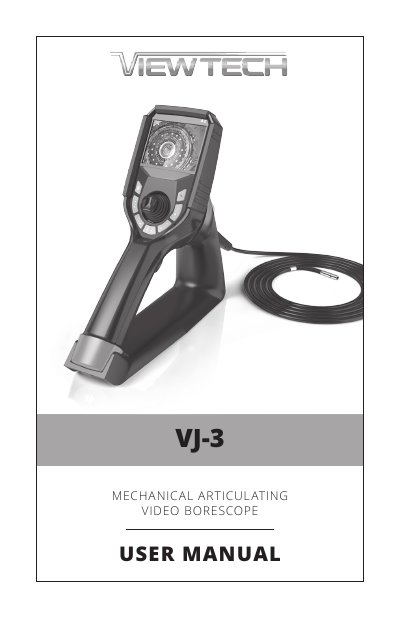
VJ-3 Handheld Industrial Video Borescope User Manual
The ViewTech VI-3 is a mechanical articulating video borescope designed for handheld, portable inspection. It features a 3.5-inch IPS anti-glare LCD display and allows for one-handed operation. The device includes a replaceable 18650B Li-ion battery and supports image and video capture with optional date and time stamps.
Read onlineViewTech VJ-3 specifications
| Insertion Tube Outer Diameter | 6.0 mm |
|---|---|
| Insertion Tube Length | 1.5 m, 3.0 m, 5.0 m, 8.0 m |
| Exterior Material | Tungsten EasyGlide, crush-resistant |
| Articulation Range | 360° around, 160±10° backward |
| Field of View | 100° x 75° |
| Depth of Field | 7.0 mm - 80.0 mm |
| Illumination | 6 super high-intensity white LEDs |
| Display Monitor | 3.5'' IPS anti-glare LCD, 640 x 480 |
| Internal Storage | 16 GB SD card (about 10,000 photos, 8 hours video) |
| Battery | One 18650 Li-ion battery |
| Weight | 2.2 lbs. / 1.0 kg |
| Protection Grade | IP67 |
| Operating Temperature, Insertion Tube | -4 – 140°F (-20 – 60°C) |
Source: ViewTech VJ-3 Dual Camera Mechanical Articulating Video Borescope User Manual
All ViewTech VJ-3 documents by type
Day-to-day operation, settings and troubleshooting. Start here if the product is already set up.
- ViewTech VJ-3 Dual Camera Mechanical Articulating Video Borescope User Manual 28 p
- ViewTech VJ-3 Mechanical Articulating Video Borescope User Manual 15 p
- ViewTech VJ-3 Mechanical Articulating Video Borescope User Manual 31 p
- ViewTech VJ-3 Mechanical Articulating Video Borescope User Manual 28 p
- ViewTech VJ-3 Mechanical Articulating Video Borescope User Manual 28 p
- VJ-3 Handheld Industrial Video Borescope User Manual 32 p
Questions answered in these manuals
What battery does the VJ-3 use?
It uses 3.6V lithium 18650B batteries with PCB protection (button top); one battery plus a spare is included in the packing list.
From: ViewTech VJ-3 Dual Camera Mechanical Articulating Video Borescope User Manual
How should I clean a dirty lens?
If the lens is dirty or greasy, it may be cleaned by wiping with alcohol.
From: ViewTech VJ-3 Dual Camera Mechanical Articulating Video Borescope User Manual
What type of battery is required for the VJ-3?
The device requires a 3.6V lithium battery, model 18650B with PCB-protection (button top).
From: ViewTech VJ-3 Mechanical Articulating Video Borescope User Manual
Can the VJ-3 be used with an external television?
Yes, the video signal can be viewed on an external television via the HDMI output interface.
From: ViewTech VJ-3 Mechanical Articulating Video Borescope User Manual
Can I touch the lens or LED module during use?
No, you must never touch the lens/LED module during or immediately after use as contact may cause burns.
From: ViewTech VJ-3 Mechanical Articulating Video Borescope User Manual
What happens if I force the joystick?
Forcing the joystick can result in damage to the articulation control wires, the joystick assembly, or the equipment being inspected.
From: ViewTech VJ-3 Mechanical Articulating Video Borescope User Manual