
Key facts
- Brand
- Ubiquiti
- Model
- NanoStation M2
- Category
- Wireless connection
- Documents
- 2
- Languages
- EN
- Last added
- 2023-11-15
Start here
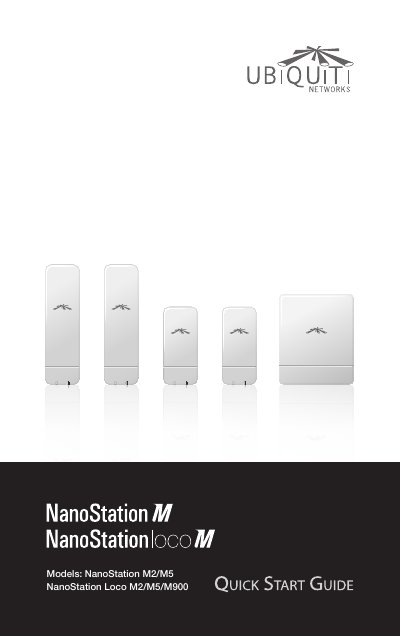
Ubiquiti NanoStation M2/M5/Loco M2/M5/M900 Wireless CPE Quick Start Guide
This Quick Start Guide supports Ubiquiti NanoStation M series point-to-point CPE wireless devices, including NanoStation M2, M5, Loco M2, Loco M5, and Loco M900 models. It describes package contents, installation requirements, hardware overview, typical deployment, and how to access the AirOS interface.
The document also lists product specifications, safety notices, compliance information, and Ubiquiti Networks support resources including the online wiki, forum, and knowledge base.
Ubiquiti NanoStation M2 specifications
| NanoStation M Enclosure Size | 29.4 x 8 x 3 cm |
|---|---|
| NanoStation M Weight | 0.5 kg |
| NanoStation M Max Power Consumption | 8 Watts |
| NanoStation M Operating Temperature | -30° to 75° C |
| NanoStation M Operating Frequency M2 | 2403 MHz - 2475 MHz |
| NanoStation Loco M Enclosure Size | 163 x 31 x80 mm |
| NanoStation Loco M Weight | 0.18kg |
| NanoStation Loco M Max Power Consumption | 5.5 Watts |
| NanoStation Loco M Operating Temperature | -30° to 80° C |
| NanoStation Loco M Networking Interface | 1 10/100BASE-TX Ethernet Ports |
Source: Ubiquiti NanoStation M2/M5/Loco M2/M5/M900 Wireless CPE Quick Start Guide
All Ubiquiti NanoStation M2 documents by type
The shortest path to a working setup, usually only a few pages.
Ratings, dimensions and ordering codes, for selection and design work.
Questions answered in these manuals
What are the default AirOS login credentials?
The default username and password are both ubnt.
From: Ubiquiti NanoStation M2/M5/Loco M2/M5/M900 Wireless CPE Quick Start Guide
What is the default IP address for accessing AirOS?
Use http://192.168.1.20 in a web browser.
From: Ubiquiti NanoStation M2/M5/Loco M2/M5/M900 Wireless CPE Quick Start Guide
What is the operating frequency range of the NanoStation M2?
The NanoStation M2 operates from 2.32 GHz to 2.55 GHz.
From: Ubiquiti NanoStation M2 2.4GHz Hi‑Power 2x2 MIMO AirMax TDMA Station Datasheet
How is the NanoStation M2 powered?
It uses passive Power over Ethernet (PoE) on pairs 4,5+ and 7,8 return.
From: Ubiquiti NanoStation M2 2.4GHz Hi‑Power 2x2 MIMO AirMax TDMA Station Datasheet