
Key facts
- Brand
- THORLABS
- Model
- SC10
- Category
- Other Electronics
- Documents
- 2
- Languages
- EN
- Last added
- 2023-11-24
Start here
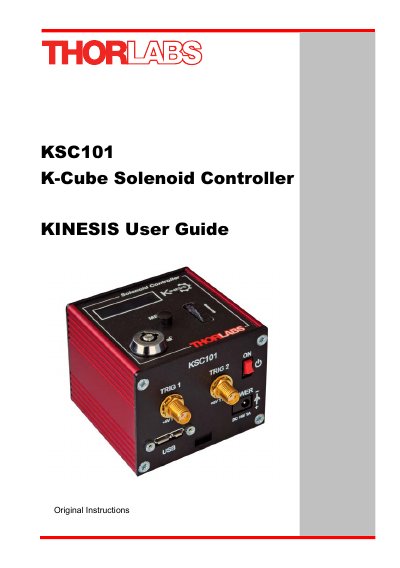
Thorlabs KSC101 K-Cube Solenoid Controller User Guide
This user guide provides instructions for installing, configuring, and operating the Thorlabs KSC101 K-Cube Solenoid Controller. It includes safety information, mechanical and electrical installation steps, software setup, and both standalone and PC-based operation modes. The controller is designed for controlling solenoid-operated shutters and other devices via manual, timed, or external trigger modes. It supports USB connectivity and integrates with Thorlabs' Kinesis software for PC control and custom automation.
The guide also covers environmental conditions, mounting options, and troubleshooting tips, with detailed sections on using the baseplate, controller hub, and software interface. It is intended for users who need to set up and operate the controller safely and effectively in laboratory or industrial settings.
Thorlabs SC10 specifications
| AC Input | 100 to 240 VAC, 50 – 60 Hz @ 110 mA |
|---|---|
| Timing Resolution | 0.001 second |
| Timing Accuracy | 0.0002 second |
| On/Off Time Range | 1 ms to 999.999 s |
All Thorlabs SC10 documents by type
Day-to-day operation, settings and troubleshooting. Start here if the product is already set up.
Questions answered in these manuals
Which shutters is the SC10 designed to control?
The SC10 is designed to control the Thorlabs SH05 and SH1 Shutter.
What are the available operation modes for the SC10?
The available modes are Single, Auto, Manual, X Gate (External Gate), and REP (Repeat).
What is the operating voltage of the KSC101?
The KSC101 is designed to operate 15V solenoid actuated devices.
How do I install the software?
Download the software from www.thorlabs.com, run the .exe file, and follow on-screen instructions. Do not connect the controller to your PC yet.