
Key facts
- Brand
- Smartgen
- Model
- HMU15
- Category
- Industrial Supply
- Industry
- Industrial
- Documents
- 2
- Languages
- ZH
- Last added
- 2026-10-18
Start here
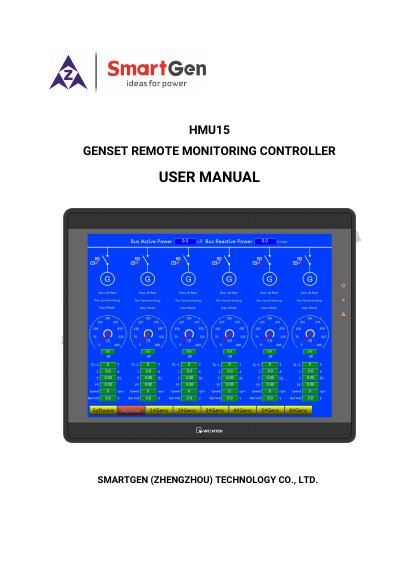
SmartGen HMU15 Genset Remote Monitoring Controller User Manual
The SmartGen HMU15 is a genset remote monitoring controller designed to monitor one or up to six HGM9510 genset controllers. It features an LCD display with a touch screen and supports functions such as auto start/stop, data measurement, alarm display, and remote control. The device communicates with the HGM9510 controller via an RS485 port. This manual is written in Chinese.
Read onlineSmartGen HMU15 specifications
| Monitored Controllers | One or up to six HGM9510 genset controllers |
|---|---|
| Communication Interface | RS485 |
| Display Type | LCD with backlit |
Source: SmartGen HMU15 Genset Remote Monitoring Controller User Manual
All SmartGen HMU15 documents by type
Day-to-day operation, settings and troubleshooting. Start here if the product is already set up.
Questions answered in these manuals
What is the default password for the Engineer authority?
The default password for the Engineer authority is 0.
From: SmartGen HMU15 Genset Remote Monitoring Controller User Manual
What is the default password for the Technician authority?
The default password for the Technician authority is 1.
From: SmartGen HMU15 Genset Remote Monitoring Controller User Manual
How many generator controllers can the HMU15 monitor?
It can monitor up to six HGM9510 generator set controllers.
From: SMARTGEN HMU15 Generator Set Remote Monitoring Controller User Manual
What are the default passwords for engineer and technician levels?
The default engineer password is 0 and the technician password is 1.
From: SMARTGEN HMU15 Generator Set Remote Monitoring Controller User Manual